








google/mediapipe 7949
MediaPipe is the simplest way for researchers and developers to build world-class ML solutions and applications for mobile, edge, cloud and the web.
jiuqiant/mediapipe_multi_hands_tracking_aar_example 25
MediaPipe multi-hand tracking gpu demo with MediaPipe's Android archive library
jiuqiant/mediapipe_face_detection_aar_example 13
MediaPipe face detection gpu demo with MediaPipe's Android archive library
Protocol Buffers - Google's data interchange format
issue commentgoogle/mediapipe
build hello world example on desktop
Troubleshooting says "please first find where the python binary is and then add --action_env PYTHON_BIN_PATH=<path to python binary> to the Bazel command". Basically, you need to find where your system install the desired Python binary. For example, I would like to use Python3 binary rather than the system default Python2 binary. First, I find where the Python3 binary is by "which python3" and then add the path to the command line.
$ which python3
/usr/bin/python3

$ bazel clean --expunge
INFO: Starting clean (this may take a while). Consider using --async if the clean takes more than several minutes.

$ bazel build --action_env PYTHON_BIN_PATH=/usr/bin/python3 --define MEDIAPIPE_DISABLE_GPU=1 mediapipe/examples/desktop/hello_world
Starting local Bazel server and connecting to it...
INFO: SHA256 (https://github.com/bazelbuild/rules_cc/archive/master.zip) = d3f8de9b353b16012047071e1366bab252ef7a0901656a1bbdd135932e16b7da
DEBUG: Rule 'rules_cc' indicated that a canonical reproducible form can be obtained by modifying arguments sha256 = "d3f8de9b353b16012047071e1366bab252ef7a0901656a1bbdd135932e16b7da"
DEBUG: Repository rules_cc instantiated at:
  no stack (--record_rule_instantiation_callstack not enabled)
Repository rule http_archive defined at:
  /usr/local/google/home/jqtang/.cache/bazel/_bazel_jqtang/90903d0f81681cb2a489037dd534e716/external/bazel_tools/tools/build_defs/repo/http.bzl:336:31: in <toplevel>
INFO: Analyzed target //mediapipe/examples/desktop/hello_world:hello_world (52 packages loaded, 1244 targets configured).
INFO: Found 1 target...
INFO: From ProtoCompile mediapipe/calculators/internal/callback_packet_calculator.pb.h:
bazel-out/k8-fastbuild/bin/external/com_google_protobuf/src: warning: directory does not exist.
INFO: From ProtoCompile mediapipe/framework/calculator.pb.h:
bazel-out/k8-fastbuild/bin/external/com_google_protobuf/src: warning: directory does not exist.
INFO: From ProtoCompile mediapipe/framework/calculator_profile.pb.h:
bazel-out/k8-fastbuild/bin/external/com_google_protobuf/src: warning: directory does not exist.
INFO: From ProtoCompile mediapipe/framework/tool/calculator_graph_template.pb.h:
bazel-out/k8-fastbuild/bin/external/com_google_protobuf/src: warning: directory does not exist.
Target //mediapipe/examples/desktop/hello_world:hello_world up-to-date:
  bazel-bin/mediapipe/examples/desktop/hello_world/hello_world
INFO: Elapsed time: 24.042s, Critical Path: 16.30s
INFO: 455 processes: 455 linux-sandbox.
INFO: Build completed successfully, 471 total actions

comment created time in 5 hours
issue commentgoogle/mediapipe
High memory and 0.77 version build error.
For the aar build error, try the following fix:
diff --git a/mediapipe/java/com/google/mediapipe/framework/BUILD b/mediapipe/java/com/google/mediapipe/framework/BUILD
index 893b6ea..8cbe1e2 100644
--- a/mediapipe/java/com/google/mediapipe/framework/BUILD
+++ b/mediapipe/java/com/google/mediapipe/framework/BUILD
@@ -136,6 +136,8 @@ android_library(
 # Expose the java source files for building mediapipe AAR.
 filegroup(
     name = "java_src",
-    srcs = glob(["*.java"]),
+    srcs = glob(["*.java"],
+                exclude = ["TypeNameRegistryFull.java"],
+           ),
     visibility = ["//mediapipe:__subpackages__"],
 )

comment created time in 5 days
issue commentgoogle/mediapipe
High memory and 0.77 version build error.
@mcclanahoochie, can you share the solution to reduce the memory usage?
comment created time in 5 days
issue commentgoogle/mediapipe
High memory and 0.77 version build error.
@mcclanahoochie , can you share the solution to reduce the memory usage?
comment created time in 5 days
issue commentgoogle/mediapipe
Seems like you use opencv4 and hit this issue. I barely remember that opencv4 removed opencv2/optflow.hpp after 4.1.0. Since MediaPipe recommends using opencv 3 for all platforms, we don't pay too much attention to supporting opencv 4 anymore.
You probably can rewrite line 88 of /mediapipe/framework/port/opencv_video_inc.h as the following to see if that solves the problem. Otherwise, switching back to opencv3 should just work.
#include <opencv2/video/tracking.hpp>

comment created time in 5 days
issue commentgoogle/mediapipe
Error while bazel build for 'objectdetectioncpu' for Android application
Not sure why you get invalid characters... Can you successfully build the hello world desktop example?

comment created time in 6 days
issue closedgoogle/mediapipe
An error occurred during the fetch of repository 'local_execution_config_python'
When I tried to build the mediapipe project using Bazel from Android Studio, I got the below issues -
Error: An error occurred during the fetch of repository 'local_execution_config_python': Error:(143, -1) File "C:/users/user/_bazel_user/y7qvsuy5/external/org_tensorflow/third_party/py/python_configure.bzl", line 143, in _check_python_bin Error:(66, -1) File "C:/users/user/_bazel_user/y7qvsuy5/external/org_tensorflow/third_party/remote_config/common.bzl", line 66, in get_bash_bin Error:(27, -1) File "C:/users/user/_bazel_user/y7qvsuy5/external/org_tensorflow/third_party/remote_config/common.bzl", line 27, in which Error:(208, -1) File "C:/users/user/_bazel_user/y7qvsuy5/external/org_tensorflow/third_party/remote_config/common.bzl", line 208, in execute Error: command succeeded, but not all targets were analyzed
Can anyone help me get rid of this? Any help is highly appreciable
closed time in 6 days
dipalokehan
issue commentgoogle/mediapipe
An error occurred during the fetch of repository 'local_execution_config_python'
Unfortunately, MediaPipe doesn't support building Android apps on Windows yet.
https://google.github.io/mediapipe/getting_started/install#installing-on-windows mentions that "Note: building MediaPipe Android apps is still not possible on native Windows. Please do this in WSL instead and see the WSL setup instruction in the next section".
comment created time in 6 days
issue commentgoogle/mediapipe
Can you list where your opencv headers and libraries are and I can help you modify the WORKSPACE and linux_opencv.BUILD files accrodingly.

comment created time in 7 days
issue commentgoogle/mediapipe
How do you install opencv? Can you take a look at https://github.com/google/mediapipe/issues/562#issuecomment-606203557 to see if that helps?
comment created time in 8 days
issue commentgoogle/mediapipe
Train script for face landmark model
I guess it's a dulplication of https://github.com/google/mediapipe/issues/11. Let's add mgyong@ to see if he has more comments on this.

comment created time in 8 days
issue commentgoogle/mediapipe
You need some proxy settings to solve this network error. See https://github.com/google/mediapipe/issues/581 for more detail.
comment created time in 9 days
issue commentgoogle/mediapipe
See https://github.com/google/mediapipe/issues/581
comment created time in 9 days
issue commentgoogle/mediapipe
Failed to run the graph: ; Can't find file
The issue is you don't provide the graph config file to the binary in the bazel run command. See the official instruction at https://github.com/google/mediapipe/blob/master/docs/getting_started/building_examples.md#option-1-running-on-cpu.
However, I am not sure if you can assess webcam in a container. If not, here is how to run the binary against a file.
GLOG_logtostderr=1 bazel-bin/mediapipe/examples/desktop/hand_tracking/hand_tracking_cpu \
  --calculator_graph_config_file=mediapipe/graphs/hand_tracking/hand_tracking_desktop_live.pbtxt \
  --input_video_path=/path/to/output/video
  --output_video_path=/path/to/input/video

comment created time in 13 days
issue commentgoogle/mediapipe
buildning example app on windows fails
Probably need to use double slashes to specify the python path. --action_env PYTHON_BIN_PATH="C://Users//johan//AppData//Loca//Programs//Python//Python38//python.exe"
Also, please checkout out v0.7.5. The latest version (v0.7.6) doesn't work with MSVC on Windows yet. See https://github.com/google/mediapipe/issues/908.
comment created time in 13 days
issue closedgoogle/mediapipe
GPU support for running desktop examples in Windows?
I see that there is experimental support for running Mediapipe desktop examples with GPU disabled on Windows here: https://google.github.io/mediapipe/getting_started/install.html#installing-on-windows.
I am wondering if there is a way to do so in Windows with GPU enabled? Thanks.
closed time in 14 days
AlexYiningLiu
issue commentgoogle/mediapipe
GPU support for running desktop examples in Windows?
GPU support on Windows is not ready. See https://github.com/google/mediapipe/issues/836#issuecomment-648297200 for more details.
comment created time in 14 days
pull request commentgoogle/mediapipe
Thanks for reporting this. Fixed in our internal code base upstream, and will be pushed to GitHub in the next release.

comment created time in 14 days
pull request commentgoogle/mediapipe
Thanks for reporting this. Fixed in our internal code base upstream, and will be pushed to GitHub in the next release.

comment created time in 14 days
pull request commentgoogle/mediapipe
documentation fixes, perform all examples builds/runs in Dockerfile
Allen, most of the changes of this PR were implemented in https://github.com/google/mediapipe/commit/b133b0f2004c831c2be004291d3fcf7a378a48f4. Building and running all examples might be too heavy for some people who only need a clean environment. We can put them as comments. What do you think?

comment created time in 14 days
issue closedgoogle/mediapipe
Building Mediabpipe AAR for Android app
Follow up with this earlier discussion, I have tested Multihandtrackinggpu app.
Build file is update as in the link. Then I did bazel build as `bazel build -c opt --host_crosstool_top=@bazel_tools//tools/cpp:toolchain --fat_apk_cpu=arm64-v8a,armeabi-v7a //mediapipe/examples/android/src/java/com/google/mediapipe/apps/multihandtrackinggpu:mp_multihand_tracking_aar
`
But I have error at last stage of build as
INFO: From Executing genrule //mediapipe/graphs/hand_tracking/subgraphs:multi_hand_detection_gpu_graph:
[libprotobuf WARNING external/com_google_protobuf/src/google/protobuf/text_format.cc:324] Warning parsing text-format mediapipe.CalculatorGraphConfig: 58:5: text format contains deprecated field "use_gpu"
INFO: From Executing genrule //mediapipe/graphs/hand_tracking/subgraphs:multi_hand_detection_gpu_graph:
[libprotobuf WARNING external/com_google_protobuf/src/google/protobuf/text_format.cc:324] Warning parsing text-format mediapipe.CalculatorGraphConfig: 58:5: text format contains deprecated field "use_gpu"
ERROR: /mediapipe/mediapipe/examples/android/src/java/com/google/mediapipe/apps/multihandtrackinggpu/BUILD:21:1: Executing genrule //mediapipe/examples/android/src/java/com/google/mediapipe/apps/multihandtrackinggpu:mp_multihand_tracking_aar failed (Exit 127) bash failed: error executing command /bin/bash -c ... (remaining 1 argument(s) skipped)

Use --sandbox_debug to see verbose messages from the sandbox
/bin/bash: line 7: zip: command not found
Archive:  /root/.cache/bazel/_bazel_root/4884d566396e9b67b62185751879ad14/sandbox/processwrapper-sandbox/5325/execroot/mediapipe/bazel-out/k8-opt/bin/mediapipe/examples/android/src/java/com/google/mediapipe/apps/multihandtrackinggpu/mp_multihand_tracking_aar_dummy_app_unsigned.apk
   creating: lib/
   creating: lib/arm64-v8a/
  inflating: lib/arm64-v8a/libmediapipe_jni.so
   creating: lib/armeabi-v7a/
  inflating: lib/armeabi-v7a/libmediapipe_jni.so
Target //mediapipe/examples/android/src/java/com/google/mediapipe/apps/multihandtrackinggpu:mp_multihand_tracking_aar failed to build
Use --verbose_failures to see the command lines of failed build steps.
INFO: Elapsed time: 88.844s, Critical Path: 87.96s
INFO: 111 processes: 105 processwrapper-sandbox, 6 worker.
FAILED: Build did NOT complete successfully
What could be wrong?
For multiple calculators, can I put all calculators in one [] as follows.
load("//mediapipe/java/com/google/mediapipe:mediapipe_aar.bzl", "mediapipe_aar")
mediapipe_aar(
    name = "mp_hand_gesture_aar",
    calculators = ["//hand-gesture-recognition:hand-gesture-recognition-calculator","//mediapipe/graphs/hand_tracking:mobile_calculators"],
)
By the way i don't see aar_example folder inside android examples.
closed time in 14 days
nyanmn
PR closed google/mediapipe
fix example code
pr closed time in 14 days
pull request commentgoogle/mediapipe
Already fixed in https://github.com/google/mediapipe/commit/cd2b69d58cee2b76fb9ffb6f84766a561431fec3.
comment created time in 14 days
issue closedgoogle/mediapipe
Adding third party library to mediapipi
Mediapipe is very useful.
How can I add in third party library like https://github.com/felHR85/UsbSerial to mediapipe? For normal Android Studio project, I just need to add in
allprojects {
	repositories {
		jcenter()
		maven { url "https://jitpack.io" }
	}
}
to build.gradle. And add the dependency to module's build.gradle:
implementation 'com.github.felHR85:UsbSerial:6.1.0'
But for mediapipe, how can I add in to interface usbserial?
closed time in 15 days
nyanmn
issue commentgoogle/mediapipe
Adding third party library to mediapipi
You can build MediaPipe AAR library (https://github.com/google/mediapipe/blob/master/docs/getting_started/android_archive_library.md) and import the AAR into Android Studio. After doing this, it's easy to continue the development and add third party libraries in Android Studio.
If you want to build MediaPipe with Bazel, you need to make/modify a Bazel maven_install rule to add the third party libraries in the WORKSPACE file. See how we do this for MediaPipe at https://github.com/google/mediapipe/blob/master/WORKSPACE#L282. Bazel project also has an official instruction about this at https://docs.bazel.build/versions/master/migrate-maven.html#migrate-from-maven-to-bazel.
Hope this helps.
comment created time in 15 days
issue commentgoogle/mediapipe
Hello Folks, I saw the process of building mediapipe and running hand tracking on desktop and all other relevant details, but I wanted to know whether there is a desktop app for hand tracking using mediapipe which is OS dependant? As in the process for windows, later it gives an error at this line T{}.GetTypeName(), [] { return absl::make_unique<Holder>(new T); })); as discussed in this issue #908 . So as a result, I can run those desktop examples on my Virtualbox mac but not on windows. Also, on mac, it runs but the webcam fps seems very low, is there a way to improve that? Also is there a desktop app that could do hand tracking using mediapipe and which could run on windows? @jiuqiant @mgyong
For now you may do git checkout v0.7.5 to make the hand tracking demo work on Windows.

comment created time in 17 days
issue commentgoogle/mediapipe
Latest version does not build on Windows
When I run below command
bazel build -c opt --define MEDIAPIPE_DISABLE_GPU=1 --action_env PYTHON_BIN_PATH="C://Python//Python37//python.exe" mediapipe/examples/desktop/hello_worldit generates the error:ERROR: D:/git/mediapipe/mediapipe/framework/BUILD:824:1: C++ compilation of rule '//mediapipe/framework:packet' failed (Exit 2) .\mediapipe/framework/packet.h(448): error C2672: 'absl::lts_2020_02_25::make_unique': no matching overloaded function found .\mediapipe/framework/packet.h(448): error C2783: 'void std::make_unique(_Types &&...)': could not deduce template argument for '__formal' C:\Program Files (x86)\Microsoft Visual Studio\2019\BuildTools\VC\Tools\MSVC\14.26.28801\include\memory(2078): note: see declaration of 'std::make_unique' Target //mediapipe/examples/desktop/hello_world:hello_world failed to build Use --verbose_failures to see the command lines of failed build steps. INFO: Elapsed time: 71.407s, Critical Path: 68.40s INFO: 152 processes: 152 local. FAILED: Build did NOT complete successfullyI am using C++ BuildTools version 14.26.28801 If I rollback to May version, it builds successfully.
How do you rollback to May version? Do you have a link?
https://github.com/google/mediapipe/releases/tag/v0.7.5 You can download the older version as zip here
Or just do mediapipe> git checkout v0.7.5.

comment created time in 17 days
issue closedgoogle/mediapipe
Running Mediapipe on GPU with OpenGL ES < 3.0
Hi,
I realised after multiple days of testing and deep googling that currently no Virtual Machine supports OpenGL ES 3+. I tested on VirtualBox and VMware Player, no one supports it. As said in your docs, "OpenGL ES 3.1 or greater is required (on Android/Linux systems) for running machine learning inference calculators and graphs." which is what interests me.
Are you aware of any way to bypass the problem ? Or is it in you plans to extend the system requirements ability to OpenGL ES < 3 ?
It surprised me that so little is said on google about it. I don't believe I am the only one to run on virtual machines ...
Thanks for your response !
closed time in 17 days
QBoulanger
issue commentgoogle/mediapipe
Hand detection example fails to build on RPI 4B
The issue is the OpenCV library is not configured correctly for MediaPipe. How do you install the OpenCV library and config it for MediaPipe? We provide 3 options to config OpenCV for MediaPipe in the step 3 of https://google.github.io/mediapipe/getting_started/install#installing-on-debian-and-ubuntu. Moreover, https://github.com/google/mediapipe/issues/666 may also help.

comment created time in 17 days
issue commentgoogle/mediapipe
Build fails handtracking example eigen_archive issue
in mediapipe/framework/packet.h I removed
T{}.GetTypeName(), [] { return absl::make_unique<Holder<T>>(new T); }));replaced withT{}.GetTypeName(), absl::make_unique<Holder<T>>));
Thanks for your reply. I did the same thing a few days ago. But, it caused another compilation error when I built the hand tracking demo. I guess it doesn't fix the actual issue.
You can use v0.7.5 (https://github.com/google/mediapipe/tree/v0.7.5) instead. That's the initial release of the Windows support.

comment created time in 17 days
issue commentgoogle/mediapipe
Build fails handtracking example eigen_archive issue
Could share how you modified packet.h?
comment created time in 19 days
issue commentgoogle/mediapipe
Latest version does not build on Windows
The issue occurs at https://github.com/google/mediapipe/blob/e9fbe868e55fa23aaabc31f9f847c22287062850/mediapipe/framework/packet.h#L448
GCC and clang are ok with the syntax [] { return absl::make_unique<Holder<T>>(new T); }) on Linux and macos. However, MSVC is not. It's unclear to me what't the right fix for MSVC on Windows. Any suggestions are welcome.
Please note that MediaPipe Windows support is experimental since we have limited resources and mainly focus on Linux and mobile platforms.
comment created time in 20 days
issue commentgoogle/mediapipe
Does this answer https://github.com/google/mediapipe/issues/742#issuecomment-639104199 help?

comment created time in 20 days
issue commentgoogle/mediapipe
Latest version does not build on Windows
Disclaimer: MediaPipe Windows support is experimental since we have limited resources and mainly focus on Linux and mobile platforms.
The issue occurs at https://github.com/google/mediapipe/blob/e9fbe868e55fa23aaabc31f9f847c22287062850/mediapipe/framework/packet.h#L448.
GCC and clang are ok with the syntax [] { return absl::make_unique<Holder<T>>(new T); }) on Linux and macos. However, MSVC is not. It's unclear to me what't the right fix for MSVC on Windows. Any suggestions are welcome.
comment created time in 20 days
issue commentgoogle/mediapipe
Latest version does not build on Windows
The issue occurs at https://github.com/google/mediapipe/blob/e9fbe868e55fa23aaabc31f9f847c22287062850/mediapipe/framework/packet.h#L448.
GCC and clang are ok with the syntax [] { return absl::make_unique<Holder<T>>(new T); }) on Linux and macos. However, MSVC is not. It's unclear what't the right fix for MSVC.
comment created time in 20 days
issue commentgoogle/mediapipe
Build fails handtracking example eigen_archive issue
The error seems to be Stdout: Stderr: /usr/bin/bash: patch: command not found ERROR, which means bazel fails to apply some patches on the eigen_archive library.
Did you modify the codebase or just use the latest version of MediaPipe as is? I am asking because a group of users report that they can't build MediaPipe on Windows with the latest version (https://github.com/google/mediapipe/issues/908).
comment created time in 20 days
issue commentgoogle/mediapipe
How can we used mediapipe object tracking with own object detector?
I think MediaPipe's tensorflow inference calculator only supports tensorflow models. If you need to do model inference with some other inference engine, unfortunately MediaPipe doesn't have such calculators. But, you definitely can implement a new inference calculator by yourself in C++. Here is how we implement tensorflow inference calculator: https://github.com/google/mediapipe/blob/61bc4556af586bb3837f17187568d1345b3ee8f5/mediapipe/calculators/tensorflow/tensorflow_inference_calculator.cc

comment created time in 20 days
issue commentgoogle/mediapipe
Hi, can you show the full log and the build command you use? Seems like @com_google_absl is not properly downloaded, which results to the error '@com_google_absl' can not be resolved.

comment created time in 22 days
issue commentgoogle/mediapipe
Latest version does not build on Windows
Try the following fixes. Note that those fixes may only work on native Windows with MSVC. Still looking for a more general solution that works across platforms (Linux, macOS, Windows, Android, and iOS).
diff --git a/mediapipe/framework/legacy_calculator_support.h b/mediapipe/framework/legacy_calculator_support.h
index 4cd15ce..34139da 100644
--- a/mediapipe/framework/legacy_calculator_support.h
+++ b/mediapipe/framework/legacy_calculator_support.h
@@ -73,12 +73,12 @@ class LegacyCalculatorSupport {
// definitions must be in the .cc file. However, a declaration still needs to be
// included in the header, or some compilers will assume they have no
// definition.
-template <>
-thread_local CalculatorContext*
-    LegacyCalculatorSupport::Scoped<CalculatorContext>::current_;                                                      -template <>
-thread_local CalculatorContract*
-    LegacyCalculatorSupport::Scoped<CalculatorContract>::current_;                                                     +// template <>
+// thread_local CalculatorContext*
+//     LegacyCalculatorSupport::Scoped<CalculatorContext>::current_;                                                   +// template <>
+// thread_local CalculatorContract*
+//     LegacyCalculatorSupport::Scoped<CalculatorContract>::current_;
}  // namespace mediapipe
diff --git a/mediapipe/framework/packet.h b/mediapipe/framework/packet.h                                                index f6b1774..3f296f9 100644
--- a/mediapipe/framework/packet.h
+++ b/mediapipe/framework/packet.h
@@ -445,7 +445,7 @@ struct MessageRegistrationImpl {                                                                     template <typename T>                                                                                                   NoDestructor<mediapipe::RegistrationToken>                                                                                  MessageRegistrationImpl<T>::registration(MessageHolderRegistry::Register(
-        T{}.GetTypeName(), [] { return absl::make_unique<Holder<T>>(new T); }));
+        T{}.GetTypeName(), absl::make_unique<Holder<T>>));
// For non-Message payloads, this does nothing.
template <typename T, typename Enable = void>
comment created time in 22 days
issue commentgoogle/mediapipe
Errors when I build a MediaPipe AAR 在构建MediaPipe AAR包时遇到的报错
The actual error is "GET returned 403 Forbidden", which apparently is a network issue. Can you verify your network setting?
You probably can find some useful solutions at https://github.com/google/mediapipe/issues/3, https://github.com/google/mediapipe/issues/581, and https://github.com/google/mediapipe/issues/601.

comment created time in a month
issue closedgoogle/mediapipe
Segmentation fault (core dumped) when running hello world example for desktop on WSL
I've followed the installation steps on WSL. But when I ran the hello world example for desktop with the command I found in MediaPipe docs : bazel run --define MEDIAPIPE_DISABLE_GPU=1
mediapipe/examples/desktop/hello_world:hello_world. The build completed successfully and there is a segmentation fault (core dumped) without any error :

Configuration : WSL : Ubuntu 20.04 LTS GPU : Intel UHD Graphics 600 Bazel : 2.0.0 gcc : 9.3.0 g++ : 9.3.0 opencv : 4 ffmpeg : 4.2.2
closed time in a month
laurieban
issue commentgoogle/mediapipe
Segmentation fault (core dumped) when running hello world example for desktop on WSL
The fix is released in https://github.com/google/mediapipe/commit/e9fbe868e55fa23aaabc31f9f847c22287062850.
comment created time in a month
issue closedgoogle/mediapipe
Error starting example hello world file (Initial Setup)
I've installed MediaPipe on Ubuntu 20.04 based on the instructions given by the MediaPipe team, though when I try to run the example I keep receiving the following error:
Error
ERROR: Analysis of target '//mediapipe/examples/desktop/hello_world:hello_world' failed; build aborted: Traceback (most recent call last):
 File "/root/.cache/bazel/_bazel_root/6be9f6de2f9f4c6f3d41746e8583a46a/external/org_tensorflow/third_party/py/python_configure.bzl", line 208
  get_python_bin(repository_ctx)
 File "/root/.cache/bazel/_bazel_root/6be9f6de2f9f4c6f3d41746e8583a46a/external/org_tensorflow/third_party/remote_config/common.bzl", line 44, in get_python_bin
  which(repository_ctx, "python")
 File "/root/.cache/bazel/_bazel_root/6be9f6de2f9f4c6f3d41746e8583a46a/external/org_tensorflow/third_party/remote_config/common.bzl", line 29, in which
  execute(repository_ctx, <1 more arguments>)
 File "/root/.cache/bazel/_bazel_root/6be9f6de2f9f4c6f3d41746e8583a46a/external/org_tensorflow/third_party/remote_config/common.bzl", line 208, in execute
  fail(<1 more arguments>)
Repository command failed
I have tried reinstalling python and the entire ubuntu system but still no luck...
I'm running Ubuntu 20.04 on a VM using VirtualBox if that helps(?)
closed time in a month
Mystickal
issue commentgoogle/mediapipe
Error starting example hello world file (Initial Setup)
The fix is released in https://github.com/google/mediapipe/commit/e9fbe868e55fa23aaabc31f9f847c22287062850.
comment created time in a month
push eventgoogle/mediapipe
commit sha e9fbe868e55fa23aaabc31f9f847c22287062850
Project import generated by Copybara. GitOrigin-RevId: e3a43e4e5e519cd14df7095749059e2613bdcf76
push time in a month
push eventgoogle/mediapipe
commit sha e9fbe868e55fa23aaabc31f9f847c22287062850
Project import generated by Copybara. GitOrigin-RevId: e3a43e4e5e519cd14df7095749059e2613bdcf76
push time in a month
issue commentgoogle/mediapipe
ffmpeg_linux.BUILD include path config incorrect
The current ffmpeg still works on my end. Maybe we use different libav versions? My ffmpeg version info is 4.2.2 and libav headers are organized as the following.
$ ffmpeg -version
ffmpeg version 4.2.2-1+build3 Copyright (c) 2000-2019 the FFmpeg developers
built with gcc 9 (Debian 9.2.1-19)

$ ls /usr/include/x86_64-linux-gnu/ | grep libav
libavcodec
libavformat
libavresample
libavutil
$ ls /usr/include/x86_64-linux-gnu/libavcodec/
ac3_parser.h   avcodec.h  avfft.h    dirac.h       dxva2.h  mediacodec.h  vaapi.h  version.h       vorbis_parser.h
adts_parser.h  avdct.h    d3d11va.h  dv_profile.h  jni.h    qsv.h         vdpau.h  videotoolbox.h  xvmc.h

comment created time in a month
issue closedgoogle/mediapipe
Where download app(android apk) demo?
Where to download APP(android apk) demo?
closed time in a month
www516717402
issue closedgoogle/mediapipe
How to use pb file conver to tflite file?
I have a saved_model.pb by training in Tensorflow Object Detection API. I can use this model in computer. But now i want to use it in my phone, so i want to make a tflite model. Can you give me some advises, please?
closed time in a month
teafff
issue commentgoogle/mediapipe
How to use pb file conver to tflite file?
TensorFlow can do this for you. Please take a look at https://www.tensorflow.org/lite/convert.
comment created time in a month
issue closedgoogle/mediapipe
unable to run multi-hand tracking on video
run
GLOG_logtostderr=1 bazel-bin/mediapipe/examples/desktop/hand_tracking/hand_tracking_cpu \
  --calculator_graph_config_file=mediapipe/graphs/hand_tracking/multi_hand_tracking_desktop_live.pbtxt \
  --input_video_path=/test/no_mask_no_teacher.mp4 \
  --output_video_path=/test/1.mp4 \
erro message
[libprotobuf ERROR external/com_google_protobuf/src/google/protobuf/text_format.cc:309] Error parsing text-format mediapipe.CalculatorGraphConfig: 17:75: Could not find type "type.googleapis.com/mediapipe.CollectionHasMinSizeCalculatorOptions" stored in google.protobuf.Any.
F20200707 02:44:45.360370   118 parse_text_proto.h:27] Check failed: google::protobuf::TextFormat::ParseFromString(input, &result)
*** Check failure stack trace: ***
    @     0x5645eb5304cf  google::LogMessage::SendToLog()
    @     0x5645eb52f19b  google::LogMessage::Flush()
    @     0x5645eb530db9  google::LogMessageFatal::~LogMessageFatal()
    @     0x5645eb152bc5  RunMPPGraph()
    @     0x5645eb145019  main
    @     0x7efd8d0b7b97  __libc_start_main
    @     0x5645eb15104a  _start
    @              (nil)  (unknown)
Aborted (core dumped)
closed time in a month
Chandler-Shuyu-Xie
issue commentgoogle/mediapipe
unable to run multi-hand tracking on video
Because you use the wrong binary.
In docs/solutions/hands.md, we mention that
With Multi-hand Support
Running on CPU
Graph: mediapipe/graphs/hand_tracking/multi_hand_tracking_desktop_live.pbtxt
Target: mediapipe/examples/desktop/multi_hand_tracking:multi_hand_tracking_cpu
Please do
bazel-bin/mediapipe/examples/desktop/multi_hand_tracking/multi_hand_tracking_cpu \
  --calculator_graph_config_file=mediapipe/graphs/hand_tracking/multi_hand_tracking_desktop_live.pbtxt
comment created time in a month
issue closedgoogle/mediapipe
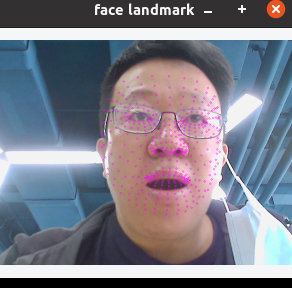
 i use mediapipe/modules/face_detection/face_detection_front.tflite and mediapipe/modules/face_landmark/face_landmark.tflite to calculate face landmark
but keypoint is not correct, possible reason ?
i use mediapipe/modules/face_detection/face_detection_front.tflite and mediapipe/modules/face_landmark/face_landmark.tflite to calculate face landmark
but keypoint is not correct, possible reason ?
closed time in a month
wangqiang624731186
issue commentgoogle/mediapipe
We are closing this issue for now due to lack of activity.
comment created time in a month
issue closedgoogle/mediapipe
I am following this tutorial: https://google.github.io/mediapipe/getting_started/building_examples.html for Android. However, when I try either method (with or without Android Studio) I am getting an error with bazel not being recognized as an application:
Error:Cannot run program "\wsl$\Ubuntu\usr\bin\bazel-2.0.0" (in directory "\wsl$\Ubuntu\mediapipe"): CreateProcess error=193, %1 is not a valid Win32 application
I followed this tutorial to install Bazel: https://docs.bazel.build/versions/master/install-ubuntu.html because the recommended installation method below did not work:
username@DESKTOP-TMVLBJ:
~$ curl -sLO --retry 5 --retry-max-time 10
https://storage.googleapis.com/bazel/2.0.0/release/bazel-2.0.0-installer-linux-x86_64.sh &&
sudo mkdir -p /usr/local/bazel/2.0.0 &&
chmod 755 bazel-2.0.0-installer-linux-x86_64.sh &&
sudo ./bazel-2.0.0-installer-linux-x86_64.sh --prefix=/usr/local/bazel/2.0.0 &&
source /usr/local/bazel/2.0.0/lib/bazel/bin/bazel-complete.bash
username@DESKTOP-TMVLBJ1:~$ /usr/local/bazel/2.0.0/lib/bazel/bin/bazel version &&
alias bazel='/usr/local/bazel/2.0.0/lib/bazel/bin/bazel'
I am running this on Ubuntu 20 but the Bazel docs say it mainly supports v16 and v18, but should likely work on other releases. This is the only issue I can think of, so I would appreciate any suggestions that could help me fix this issue.
closed time in a month
j-vent
issue commentgoogle/mediapipe
We are closing this issue for now due to lack of activity.
comment created time in a month
issue closedgoogle/mediapipe
youtube8m feature extractor too slow to use
I try to use youtube8m feature extractor to extract audio feature of video. But it is too slow (about 10s/video) because it is only use CPU. Is there any way to speed up (such as using GPU)?
closed time in a month
john159151
issue closedgoogle/mediapipe
Hello,
I followed the instructions regarding setting up Objecttracking gpu on the android device. It is successfully running. However, I want get the tracking box info (Rect, label, Id , confidence). Could you please help me out here? I tried to add the following code on OnCreate the app starts crashing.
processor.addPacketCallback("tracked_detections",(packet)->{ byte[] box = PacketGetter.getProtoBytes(packet); // then check if it is null or not });
Could you please give me some insights to solve this issue? Thank you in advance
closed time in a month
WildSpirit007
issue commentgoogle/mediapipe
We are closing this issue for now due to lack of activity.
comment created time in a month
issue commentgoogle/mediapipe
C++ compilation error when building mp_multi_hand_aar
Unfortunately, the log doesn't show the error details. If you have time, could you append --verbose_failures to the build command to let it print the full command line for commands that failed and report back?
comment created time in a month
issue commentgoogle/mediapipe
[Question] Where is the saved model of KNIFT?
@wzc11 will answer your question soon.

comment created time in a month
issue closedgoogle/mediapipe
Hi,
I started a project using MediaPipe a few weeks ago and everything was fine until I had to clean install my Ubuntu (18.04) for a separate issue.
Bazel: 3.3.0 Ubuntu: 18.0.4 Android studio: 4.0 SDK: 30 NDK: 19.2.5345600
Steps:
- The "Hello World" example (bazel run --copt -DMESA_EGL_NO_X11_HEADERS --copt -DEGL_NO_X11
mediapipe/examples/desktop/hello_world:hello_world) seems to work okay. - Bazel -> Sync -> Sync project with BUILD files also finishes with no errors
- Run -> Using the edit configurations in the guide produces the error:
[Prepa] Installing //mediapipe/examples/android/src/java/com/google/mediapipe/apps/robotcontrol:mainapp
ERROR: <PATH>/mediapipe/mediapipe/examples/android/src/java/com/google/mediapipe/apps/robotcontrol/BUILD:62:15: Installing //mediapipe/examples/android/src/java/com/google/mediapipe/apps/robotcontrol:mainapp failed (Exit 1)
Error:
adb command: ['/home/mikroszolos/Android/Sdk/platform-tools/adb', '-s', 'c5e5add5', '-s', 'c5e5add5:tcp:5037', '-s', 'c5e5add5', '-s', 'c5e5add5:tcp:5037', 'shell', 'mkdir -p /data/local/tmp/incrementaldeployment/com.google.mediapipe.apps.robotcontrol/dex']
return code: 1
stdout:
stderr: adb: unknown host service
----------------
Note: The failure of target @bazel_tools//tools/android:incremental_install (with exit code 1) may have been caused by the fact that it is a Python 2 program that was built in the host configuration, which uses Python 3. You can change the host configuration (for the entire build) to instead use Python 2 by setting --host_force_python=PY2.

If this error started occurring in Bazel 0.27 and later, it may be because the Python toolchain now enforces that targets analyzed as PY2 and PY3 run under a Python 2 and Python 3 interpreter, respectively. See https://github.com/bazelbuild/bazel/issues/7899 for more information.
----------------
Target //mediapipe/examples/android/src/java/com/google/mediapipe/apps/robotcontrol:mainapp failed to build
Use --verbose_failures to see the command lines of failed build steps.
INFO: Elapsed time: 5.366s, Critical Path: 0.38s
INFO: 0 processes.
FAILED: Build did NOT complete successfully
FAILED: Build did NOT complete successfully
INFO: Build Event Protocol files produced successfully.
FAILED: Build did NOT complete successfully
I tried the -host_force_python=PY2 but maybe I added it to the wrong place which is why it didn't work. I also don't remember having to do this the first time but I might be wrong. I would also like to add that I cloned my repository on my clean build. Perhaps there are some config files that need to be cleaned that I am not aware of?
I've also tried a clean clone of mediapipe using the handtracking example and I get the same error.
Does anyone have any suggestions?
Thank you for your time, Alex
closed time in a month
Meldanen
issue closedgoogle/mediapipe
how to specify a video in detection
I wan to try hand detection on a video I have. Where I can specify the video path?
closed time in a month
Chandler-Shuyu-Xie
issue commentgoogle/mediapipe
how to specify a video in detection
GLOG_logtostderr=1 bazel-bin/mediapipe/examples/desktop/hand_tracking/hand_tracking_cpu \
  --calculator_graph_config_file=mediapipe/graphs/hand_tracking/hand_tracking_desktop_live.pbtxt \
  --input_video_path=/path/to/input/video \
  --output_video_path=/path/to/output/video \
See details at https://github.com/google/mediapipe/blob/252a5713c7996e14c9bcff2caf0b2e1afca1e6f7/mediapipe/examples/desktop/demo_run_graph_main.cc#L36
comment created time in a month
issue closedgoogle/mediapipe
Environment
- Ubuntu 20.04 64-bit
- Bazel 3.2.0
- GCC 9.3.0
- OpenJDK 1.8.0_252
ANDROID_SDK,ANDROID_NDK_HOMEandJAVA_HOMEare set correctly- MediaPipe current
masterbranch (commit67bd8a2bf04072b853142e7739466dea218ae007)
Noteworthy
- I am able to build & run the Android examples that ship with MediaPipe successfully.
Issue
I have a custom library/application based on the MediaPipe hand tracking example. I'm able to build this application either as a standalone executable or as a shared library on an Ubuntu machine and run it on the desktop without problems. Next my goal is to build an Android AAR to get the library functionality into an Android project. To do so, I've added the mediapipe_aar section to the bazel BUILD file as instructed by the official documentation:
package(default_visibility = [
    "//visibility:public",
])

cc_binary(
    name = "libmediapipe.so",
    srcs = ["hand_tracker.cpp",
            "hand_tracker.hpp",
            "hand_tracker_impl.cpp",
            "hand_tracker_impl.hpp",
            "landmarks.hpp"],
    deps = [
        "@mediapipe//mediapipe/framework:calculator_framework",
        "@mediapipe//mediapipe/framework/formats:image_frame",
        "@mediapipe//mediapipe/framework/formats:image_frame_opencv",
        "@mediapipe//mediapipe/framework/formats:landmark_cc_proto",
        "@mediapipe//mediapipe/framework/port:commandlineflags",
        "@mediapipe//mediapipe/framework/port:file_helpers",
        "@mediapipe//mediapipe/framework/port:opencv_highgui",
        "@mediapipe//mediapipe/framework/port:opencv_imgproc",
        "@mediapipe//mediapipe/framework/port:opencv_video",
        "@mediapipe//mediapipe/framework/port:parse_text_proto",
        "@mediapipe//mediapipe/framework/port:status",
        "@mediapipe//mediapipe/graphs/hand_tracking:desktop_tflite_calculators",
    ],
    linkshared=True,
)

cc_binary(
    name = "libmediapipe_gpu.so",
    srcs = ["hand_tracker.cpp",
            "hand_tracker.hpp",
            "hand_tracker_impl.cpp",
            "hand_tracker_impl.hpp",
            "landmarks.hpp"],
    local_defines = ["MEDIAPIPE_GPU"],
    deps = [
        "@mediapipe//mediapipe/framework:calculator_framework",
        "@mediapipe//mediapipe/framework/formats:image_frame",
        "@mediapipe//mediapipe/framework/formats:image_frame_opencv",
        "@mediapipe//mediapipe/framework/formats:landmark_cc_proto",
        "@mediapipe//mediapipe/framework/port:file_helpers",
        "@mediapipe//mediapipe/framework/port:opencv_highgui",
        "@mediapipe//mediapipe/framework/port:opencv_imgproc",
        "@mediapipe//mediapipe/framework/port:opencv_video",
        "@mediapipe//mediapipe/framework/port:parse_text_proto",
        "@mediapipe//mediapipe/framework/port:status",
        "@mediapipe//mediapipe/gpu:gl_calculator_helper",
        "@mediapipe//mediapipe/gpu:gpu_buffer",
        "@mediapipe//mediapipe/gpu:gpu_shared_data_internal",
        "@mediapipe//mediapipe/graphs/hand_tracking:mobile_calculators",
    ],
    linkshared=True,
)

load("@mediapipe//mediapipe/java/com/google/mediapipe:mediapipe_aar.bzl", "mediapipe_aar")

mediapipe_aar(
    name = "mp_hand_tracking_aar",
    calculators = ["@mediapipe//mediapipe/graphs/hand_tracking:mobile_calculators"],
)
However, the build process yields a visibility error upon trying to compile to an Android AAR:
joel@joel-ubuntu:~/projects/mediapipe_latest/my_custom_project/library$ bazel build -c opt --host_crosstool_top=@bazel_tools//tools/cpp:toolchain --fat_apk_cpu=arm64-v8a,armeabi-v7a :mp_hand_tracking_aar
ERROR: /home/joel/projects/mediapipe_latest/my_custom_project/library/BUILD:74:14: in genrule rule //my_custom_project/library:rasterization_proto_proto_java_src_generator: target '//mediapipe/framework/formats/annotation:protos_src' is not visible from target '//my_custom_project/library:rasterization_proto_proto_java_src_generator'. Check the visibility declaration of the former target if you think the dependency is legitimate
ERROR: Analysis of target '//my_custom_project/library:mp_hand_tracking_aar' failed; build aborted: Analysis failed
INFO: Elapsed time: 0.170s
INFO: 0 processes.
FAILED: Build did NOT complete successfully (0 packages loaded, 0 targets configured)
joel@joel-ubuntu:~/projects/mediapipe_latest/my_custom_project/library$
What exactly causes this issue and what's the intended way to make this build work?
closed time in a month
Tectu
issue commentgoogle/mediapipe
We don't plan to expose the proto source code because that's some implementation details we may change later. So, we set the protos_src file_group to be only visible within the MediaPipe repo. Moreover, MediaPipe AAR rule was designed for packaging existing MediaPipe solutions such as face detection, hand tracking, and etc. So, we was expecting the users to use the aar rule within the MediaPipe repo.
For your case, you can change https://github.com/google/mediapipe/blob/master/mediapipe/framework/formats/annotation/BUILD#L43 to be visibility = ["//visibility:public"], to solve this issue.
comment created time in a month
issue closedgoogle/mediapipe
run Custom tflite Model fails in TfLiteInferenceCalculator
train model by deeplapV3+ for tf2.0 and optimizar it by tensorflow_model_optimization 0.3.0 debug it and got log below:
2020-07-03 16:01:52.416 18260-18293/? D/mediapipeDebug: Following operations are not supported by GPU delegate: BATCH_TO_SPACE_ND: Operation is not supported. EXP: Operation is not supported. REDUCE_MAX: Operation is not supported. SPACE_TO_BATCH_ND: Operation is not supported. SUM: Operation is not supported. 148 operations will run on the GPU, and the remaining 90 operations will run on the CPU. 2020-07-03 16:01:52.422 18260-18293/? D/mediapipeDebug: TfLiteGpuDelegate Prepare: Only identical batch dimension is supported 2020-07-03 16:01:52.422 18260-18293/? D/mediapipeDebug: Node number 238 (TfLiteGpuDelegate) failed to prepare. 2020-07-03 16:01:52.422 18260-18293/? D/mediapipeDebug: external/org_tensorflow/tensorflow/lite/kernels/conv.cc:345 bias->type != input_type (10 != 1) 2020-07-03 16:01:52.422 18260-18293/? D/mediapipeDebug: Node number 2 (CONV_2D) failed to prepare
could anyone help me?
closed time in a month
forbywang
issue commentgoogle/mediapipe
run Custom tflite Model fails in TfLiteInferenceCalculator
The error message is BATCH_TO_SPACE_ND: Operation is not supported. EXP: Operation is not supported. REDUCE_MAX: Operation is not supported. SPACE_TO_BATCH_ND: Operation is not supported.. So, those ops are not supported by TFLite gpu. You need to either remove those ops from the graph or define those custom ops like we did here: https://github.com/google/mediapipe/tree/master/mediapipe/util/tflite/operations.
comment created time in a month
issue commentgoogle/mediapipe
The error message is ImportError: No module named numpy Is numpy installed?. Have you installed numpy via pip3?
comment created time in a month
issue closedgoogle/mediapipe
System information
- OS Platform and Distribution (e.g., Linux Ubuntu 16.04): Windows 10
- Mobile device (e.g. iPhone 8, Pixel 2, Samsung Galaxy) if the issue happens on mobile device:
- TensorFlow installed from (source or binary):
- TensorFlow version: 2.2.0, installed by mediapipe
- Python version: 3.8.3
- Installed using virtualenv? pip? conda?: conda
- Bazel version (if compiling from source): 3.3.0
- GCC/Compiler version (if compiling from source):
- CUDA/cuDNN version:
- GPU model and memory:
Describe the problem
Trying to build a mediapipe target:
bazel run mediapipe/examples/desktop/multi_hand_tracking:multi_hand_tracking_cpu
I get:
Loading:
Loading: 0 packages loaded
WARNING: Download from https://mirror.bazel.build/github.com/tensorflow/tensorflow/archive/7c09d15f9fcc14343343c247ebf5b8e0afe3e4aa.tar.gz failed: class com.google.devtools.build.lib.bazel.repository.downloader.UnrecoverableHttpException GET returned 404 Not Found
WARNING: Download from http://mirror.tensorflow.org/github.com/bazelbuild/rules_closure/archive/cf1e44edb908e9616030cc83d085989b8e6cd6df.tar.gz failed: class com.google.devtools.build.lib.bazel.repository.downloader.UnrecoverableHttpException GET returned 404 Not Found

Analyzing: target //mediapipe/examples/desktop/multi_hand_tracking:multi_hand_tracking_cpu (0 packages loaded, 0 targets configured)
INFO: Repository local_execution_config_python instantiated at:
no stack (--record_rule_instantiation_callstack not enabled)
Repository rule local_python_configure defined at:
C:/users/amit/_bazel_amit/j6xr7hh5/external/org_tensorflow/third_party/py/python_configure.bzl:275:41: in
ERROR: An error occurred during the fetch of repository 'local_execution_config_python':          Traceback (most recent call last):
File "C:/users/amit/_bazel_amit/j6xr7hh5/external/org_tensorflow/third_party/py/python_configure.bzl",
line 208
get_python_bin(repository_ctx)
File "C:/users/amit/_bazel_amit/j6xr7hh5/external/org_tensorflow/third_party/remote_config/common.bzl", line 44, in
get_python_bin
which(repository_ctx, "python")
File "C:/users/amit/_bazel_amit/j6xr7hh5/external/org_tensorflow/third_party/remote_config/common.bzl", line 27, in which  execute(repository_ctx, <1 more arguments>)
File "C:/users/amit/_bazel_amit/j6xr7hh5/external/org_tensorflow/third_party/remote_config/common.bzl", line 208, in execute
                                 fail(<1 more arguments>)`
Provide the exact sequence of commands / steps that you executed before running into the problem
conda create --name=test python=3
conda activate test
git clone https://github.com/google/mediapipe.git
cd mediapipe
bazel run mediapipe/examples/desktop/multi_hand_tracking:multi_hand_tracking_cpu
closed time in a month
AmitMY
issue commentgoogle/mediapipe
In https://google.github.io/mediapipe/getting_started/install#installing-on-windows, we mention that adding --action_env PYTHON_BIN_PATH="C:/path/to/python.exe" is needed for Windows.
comment created time in a month
issue commentgoogle/mediapipe
C++ compilation error when building mp_multi_hand_aar
Can you show the full log?
From you comment, we only see that it's caused by mediapipe/calculators/tflite:tflite_converter_calculator.
I guess the slowness of the build process is caused by downloading dependency libraries such as opencv android sdk and tensorflow repo?
comment created time in a month
issue closedgoogle/mediapipe
ERRORS when I run Desktop Helloworld
I completed the requirement configuration according to the instructions of Installing on Debian and Ubuntu but When running the last command:
$ export GLOG_logtostderr=1
# if you are running on Linux desktop with CPU only
$ bazel run --define MEDIAPIPE_DISABLE_GPU=1 \
    mediapipe/examples/desktop/hello_world:hello_world
Encountered the following error:
Starting local Bazel server and connecting to it...
INFO: SHA256 (https://github.com/bazelbuild/rules_cc/archive/master.zip) = a07fc8b90c22e42962142504438a84b31567976adcd9ee1a4c9f75d2e3396f8d
DEBUG: Rule 'rules_cc' indicated that a canonical reproducible form can be obtained by modifying arguments sha256 = "a07fc8b90c22e42962142504438a84b31567976adcd9ee1a4c9f75d2e3396f8d"
DEBUG: Repository rules_cc instantiated at:
  no stack (--record_rule_instantiation_callstack not enabled)
Repository rule http_archive defined at:
  /home/zcw/.cache/bazel/_bazel_zcw/43c4a13803b0469a6bd3b3fd6f82c078/external/bazel_tools/tools/build_defs/repo/http.bzl:336:16: in <toplevel>
INFO: Repository local_execution_config_python instantiated at:
  no stack (--record_rule_instantiation_callstack not enabled)
Repository rule local_python_configure defined at:
  /home/zcw/.cache/bazel/_bazel_zcw/43c4a13803b0469a6bd3b3fd6f82c078/external/org_tensorflow/third_party/py/python_configure.bzl:275:26: in <toplevel>
ERROR: An error occurred during the fetch of repository 'local_execution_config_python':
   Traceback (most recent call last):
	File "/home/zcw/.cache/bazel/_bazel_zcw/43c4a13803b0469a6bd3b3fd6f82c078/external/org_tensorflow/third_party/py/python_configure.bzl", line 208
		get_python_bin(repository_ctx)
	File "/home/zcw/.cache/bazel/_bazel_zcw/43c4a13803b0469a6bd3b3fd6f82c078/external/org_tensorflow/third_party/remote_config/common.bzl", line 44, in get_python_bin
		which(repository_ctx, "python")
	File "/home/zcw/.cache/bazel/_bazel_zcw/43c4a13803b0469a6bd3b3fd6f82c078/external/org_tensorflow/third_party/remote_config/common.bzl", line 29, in which
		execute(repository_ctx, <1 more arguments>)
	File "/home/zcw/.cache/bazel/_bazel_zcw/43c4a13803b0469a6bd3b3fd6f82c078/external/org_tensorflow/third_party/remote_config/common.bzl", line 208, in execute
		fail(<1 more arguments>)
Repository command failed

ERROR: Analysis of target '//mediapipe/examples/desktop/hello_world:hello_world' failed; build aborted: Traceback (most recent call last):
	File "/home/zcw/.cache/bazel/_bazel_zcw/43c4a13803b0469a6bd3b3fd6f82c078/external/org_tensorflow/third_party/py/python_configure.bzl", line 208
		get_python_bin(repository_ctx)
	File "/home/zcw/.cache/bazel/_bazel_zcw/43c4a13803b0469a6bd3b3fd6f82c078/external/org_tensorflow/third_party/remote_config/common.bzl", line 44, in get_python_bin
		which(repository_ctx, "python")
	File "/home/zcw/.cache/bazel/_bazel_zcw/43c4a13803b0469a6bd3b3fd6f82c078/external/org_tensorflow/third_party/remote_config/common.bzl", line 29, in which
		execute(repository_ctx, <1 more arguments>)
	File "/home/zcw/.cache/bazel/_bazel_zcw/43c4a13803b0469a6bd3b3fd6f82c078/external/org_tensorflow/third_party/remote_config/common.bzl", line 208, in execute
		fail(<1 more arguments>)
Repository command failed

INFO: Elapsed time: 13.957s
INFO: 0 processes.
FAILED: Build did NOT complete successfully (9 packages loaded, 11 targets configured)
FAILED: Build did NOT complete successfully (9 packages loaded, 11 targets configured)
    currently loading: @bazel_tools//tools/jdk
Before asking the question, I searched for related issues, but still failed to solve it, so I hope to seek some help :)
closed time in a month
ZZZhaowendao
issue commentgoogle/mediapipe
ERRORS when I run Desktop Helloworld
You successfully built bazel-bin/mediapipe/examples/desktop/hello_world/hello_world. Then, you need to run it ;)
Try the following:
$ export GLOG_logtostderr=1
$ bazel-bin/mediapipe/examples/desktop/hello_world/hello_world
comment created time in a month
issue commentgoogle/mediapipe
ERRORS when I run Desktop Helloworld
The issue is Bazel doesn't find the local python binary. You can run $ which python to find where the python binary is and then add --action_env PYTHON_BIN_PATH=<path to python binary> to the Bazel command like the following
bazel build -c opt --define MEDIAPIPE_DISABLE_GPU=1 --action_env PYTHON_BIN_PATH="/path/to/python" mediapipe/examples/desktop/hello_world
comment created time in a month
issue closedgoogle/mediapipe
Issue in TensorFlow CUDA Support on Jetson Nano
Hello,
i'm trying to build the hand_tracking_gpu demo on a jetson nano board, but i'm getting the error Expected even number of arguments , building without cuda gives no error
rui@rui-jetson:~/pen/mediapipe$ bazel build -c opt --config=cuda --spawn_strategy=local     --define no_aws_support=true --copt -DMESA_EGL_NO_X11_HEADERS  mediapipe/examples/desktop/hand_tracking:hand_tracking_gpu
INFO: Repository local_config_cuda instantiated at:
  no stack (--record_rule_instantiation_callstack not enabled)
Repository rule cuda_configure defined at:
  /home/rui/pen/bazel_cache/_bazel_rui/2863b3cfed4551e7bbfa622d9a9a5606/external/org_tensorflow/third_party/gpus/cuda_configure.bzl:1235:33: in <toplevel>
ERROR: An error occurred during the fetch of repository 'local_config_cuda':
   Traceback (most recent call last):
        File "/home/rui/pen/bazel_cache/_bazel_rui/2863b3cfed4551e7bbfa622d9a9a5606/external/org_tensorflow/third_party/gpus/cuda_configure.bzl", line 1205
                _create_local_cuda_repository(<1 more arguments>)
        File "/home/rui/pen/bazel_cache/_bazel_rui/2863b3cfed4551e7bbfa622d9a9a5606/external/org_tensorflow/third_party/gpus/cuda_configure.bzl", line 931, in _create_local_cuda_repository
                _find_libs(repository_ctx, <2 more arguments>)
        File "/home/rui/pen/bazel_cache/_bazel_rui/2863b3cfed4551e7bbfa622d9a9a5606/external/org_tensorflow/third_party/gpus/cuda_configure.bzl", line 578, in _find_libs
                _check_cuda_libs(repository_ctx, <2 more arguments>)
        File "/home/rui/pen/bazel_cache/_bazel_rui/2863b3cfed4551e7bbfa622d9a9a5606/external/org_tensorflow/third_party/gpus/cuda_configure.bzl", line 480, in _check_cuda_libs
                execute(repository_ctx, <1 more arguments>)
        File "/home/rui/pen/bazel_cache/_bazel_rui/2863b3cfed4551e7bbfa622d9a9a5606/external/org_tensorflow/third_party/remote_config/common.bzl", line 208, in execute
                fail(<1 more arguments>)
Repository command failed
Expected even number of arguments
DEBUG: Rule 'rules_cc' indicated that a canonical reproducible form can be obtained by modifying arguments sha256 = "a07fc8b90c22e42962142504438a84b31567976adcd9ee1a4c9f75d2e3396f8d"
DEBUG: Repository rules_cc instantiated at:
  no stack (--record_rule_instantiation_callstack not enabled)
Repository rule http_archive defined at:
  /home/rui/pen/bazel_cache/_bazel_rui/2863b3cfed4551e7bbfa622d9a9a5606/external/bazel_tools/tools/build_defs/repo/http.bzl:336:31: in <toplevel>
ERROR: /home/rui/pen/mediapipe/mediapipe/examples/desktop/hand_tracking/BUILD:36:10: //mediapipe/examples/desktop/hand_tracking:hand_tracking_gpu depends on @local_config_cuda//crosstool:toolchain in repository @local_config_cuda which failed to fetch. no such package '@local_config_cuda//crosstool': Traceback (most recent call last):
        File "/home/rui/pen/bazel_cache/_bazel_rui/2863b3cfed4551e7bbfa622d9a9a5606/external/org_tensorflow/third_party/gpus/cuda_configure.bzl", line 1205
                _create_local_cuda_repository(<1 more arguments>)
        File "/home/rui/pen/bazel_cache/_bazel_rui/2863b3cfed4551e7bbfa622d9a9a5606/external/org_tensorflow/third_party/gpus/cuda_configure.bzl", line 931, in _create_local_cuda_repository
                _find_libs(repository_ctx, <2 more arguments>)
        File "/home/rui/pen/bazel_cache/_bazel_rui/2863b3cfed4551e7bbfa622d9a9a5606/external/org_tensorflow/third_party/gpus/cuda_configure.bzl", line 578, in _find_libs
                _check_cuda_libs(repository_ctx, <2 more arguments>)
        File "/home/rui/pen/bazel_cache/_bazel_rui/2863b3cfed4551e7bbfa622d9a9a5606/external/org_tensorflow/third_party/gpus/cuda_configure.bzl", line 480, in _check_cuda_libs
                execute(repository_ctx, <1 more arguments>)
        File "/home/rui/pen/bazel_cache/_bazel_rui/2863b3cfed4551e7bbfa622d9a9a5606/external/org_tensorflow/third_party/remote_config/common.bzl", line 208, in execute
                fail(<1 more arguments>)
Repository command failed
Expected even number of arguments
ERROR: Analysis of target '//mediapipe/examples/desktop/hand_tracking:hand_tracking_gpu' failed; build aborted: Analysis failed
INFO: Elapsed time: 0,747s
INFO: 0 processes.
FAILED: Build did NOT complete successfully (0 packages loaded, 0 targets configured)
    Fetching @local_config_cc; fetching
rui@rui-jetson:~/pen/mediapipe$
closed time in a month
ruisebastiao
issue commentgoogle/mediapipe
Issue in TensorFlow CUDA Support on Jetson Nano
Thanks for sharing your solution!
Just to clarify, for hand tracking gpu, you don't need to config TensorFlow CUDA for MediaPipe. Hand tracking gpu example is doing inference with TFLite and its underlying OpenGL backend. The only MediaPipe example that needs CUDA is mediapipe/examples/desktop/object_detection:object_detection_tensorflow. We are still investigate how to make that work on Jetson devices.
comment created time in a month
issue commentgoogle/mediapipe
adb can be installed separately without Android Studio. So, I am not sure if the issue is related to the Android Studio version. The best way is to use the adb install command to install some other apps from the terminal. It this works, then try your robotcontrol app.
comment created time in a month
issue commentgoogle/mediapipe
Issue in TensorFlow CUDA Support on Jetson Nano
https://github.com/tensorflow/tensorflow/issues/1171#issuecomment-244819545 might be helpful.
comment created time in a month
issue commentgoogle/mediapipe
The error is adb: unknown host service, which means that the apk was successfully built but adb is not able to install the apk.
I suggest verifying your adb setting and make sure you can install the other apks as the first step. You also can build the apk by Bazel and then ask adb to install it separately.
bazel build  -c opt   --config android_arm64 mediapipe/examples/android/src/java/com/google/mediapipe/apps/robotcontrol:mainapp

adb install -r <path to your apk>
comment created time in a month
issue commentgoogle/mediapipe
ValidateRequiredSidePackets failed error when modifying the face tracking example to shoe detection.
Hi, unlike the face and hand examples, object detection 3d example requires extra input side packets. You need to send four input side packets into the graph in MainActivity.java. See https://github.com/google/mediapipe/blob/master/mediapipe/examples/android/src/java/com/google/mediapipe/apps/objectdetection3d/MainActivity.java#L50

comment created time in a month
issue closedgoogle/mediapipe
ValidateRequiredSidePackets failed error when modifying the face tracking example to shoe detection.
I've followed these instructions to get assets and .aar file for shoe detection, then I imported them as shown here
- object_detection_3d_sneakers.tflite
- objectdetection3d.binarypb
- ssdlite_object_detection_labelmap.txt into assets folder and and
- mp_object_detection_3d.aar
into libs folder
I used the most resembling example project in my opinion face detection and swapped respective files as mentioned above.
the build is successful, but after running it on the android device I get an error:
2020-06-29 15:43:44.002 1114-1312/com.example.myfacedetectionapp E/native: E0629 15:43:44.002478 1312 graph.cc:415] INVALID_ARGUMENT: ValidateRequiredSidePackets failed to validate: ; Side packet "box_asset_name" is required but was not provided. ; Side packet "box_texture" is required but was not provided. ; Side packet "obj_asset_name" is required but was not provided. ; Side packet "obj_texture" is required but was not provided. 2020-06-29 15:43:44.006 1114-1312/com.example.myfacedetectionapp E/AndroidRuntime: FATAL EXCEPTION: ExternalTextureConverter Process: com.example.myfacedetectionapp, PID: 1114 com.google.mediapipe.framework.MediaPipeException: invalid argument: ValidateRequiredSidePackets failed to validate: ; Side packet "box_asset_name" is required but was not provided. ; Side packet "box_texture" is required but was not provided. ; Side packet "obj_asset_name" is required but was not provided. ; Side packet "obj_texture" is required but was not provided. at com.google.mediapipe.framework.Graph.nativeStartRunningGraph(Native Method) at com.google.mediapipe.framework.Graph.startRunningGraph(Graph.java:289) at com.google.mediapipe.components.FrameProcessor.startGraph(FrameProcessor.java:372) at com.google.mediapipe.components.FrameProcessor.maybeAcceptNewFrame(FrameProcessor.java:296) at com.google.mediapipe.components.FrameProcessor.onNewFrame(FrameProcessor.java:311) at com.google.mediapipe.components.ExternalTextureConverter$RenderThread.renderNext(ExternalTextureConverter.java:275) at com.google.mediapipe.components.ExternalTextureConverter$RenderThread.lambda$onFrameAvailable$0$ExternalTextureConverter$RenderThread(ExternalTextureConverter.java:221) at com.google.mediapipe.components.-$$Lambda$ExternalTextureConverter$RenderThread$Y1vV_XyLsWZ0ebOvq-iwjQ0H3Sw.run(Unknown Source:4) at android.os.Handler.handleCallback(Handler.java:883) at android.os.Handler.dispatchMessage(Handler.java:100) at android.os.Looper.loop(Looper.java:214) at com.google.mediapipe.glutil.GlThread.run(GlThread.java:134)
closed time in a month
davitgoder
issue commentgoogle/mediapipe
Issue in TensorFlow CUDA Support on Jetson Nano
Hi, it's a tensorflow config issue in its cuda_configure.bzl.
You should be able to bypass this by modifying the line 576 of /home/rui/pen/bazel_cache/_bazel_rui/2863b3cfed4551e7bbfa622d9a9a5606/external/org_tensorflow/third_party/gpus/cuda_configure.bzl to be
        "cudnn": _check_cuda_lib_params(
            "cudnn",
            cpu_value,
            cuda_config.config["cudnn_library_dir"],
            '8',
            static = False,
        ),
comment created time in a month
issue commentgoogle/mediapipe
Segmentation fault (core dumped) when running hello world example for desktop on WSL
The solution is adding the following code to mediapipe/framework/legacy_calculator_support.h at line 68.
template <>
thread_local CalculatorContext*
    LegacyCalculatorSupport::Scoped<CalculatorContext>::current_;
template <>
thread_local CalculatorContract*
    LegacyCalculatorSupport::Scoped<CalculatorContract>::current_;
comment created time in a month
issue commentgoogle/mediapipe
First step, please add "tracked_detections" as an output_stream in the graph.
--- a/mediapipe/graphs/tracking/object_detection_tracking_mobile_gpu.pbtxt
+++ b/mediapipe/graphs/tracking/object_detection_tracking_mobile_gpu.pbtxt
@@ -6,6 +6,7 @@
 # Images on GPU coming into and out of the graph.
 input_stream: "input_video"
 output_stream: "output_video"
+output_stream: "tracked_detections"

 # Resamples the images by specific frame rate. This calculator is used to
 # control the frequency of subsequent calculators/subgraphs, e.g. less power
Second step, the output packets in the "tracked_detections" hold Detection proto vectors. You need to do something like
processor.addPacketCallback("tracked_detections", (packet) -> { List<DetectionProto.Detection> detections = PacketGetter.getProtoVector(packet, DetectionProto.Detection.parser()); ... });
comment created time in a month
issue closedgoogle/mediapipe
Android SDK License not being accepted.
Hi there, tried running the android examples which call for running the script setup_android_sdk_and_ndk.sh. However the SDK does not install properly with default options because the license is not accepted. The error is caused by this line here, and potentially the one above it. Adding yes | to the start of each line fixes the issue. For example:
yes | /tmp/android_sdk/tools/bin/sdkmanager --update
yes | /tmp/android_sdk/tools/bin/sdkmanager "build-tools;29.0.1" "platform-tools" "platforms;android-29" --sdk_root=${android_sdk_path}
Thanks.
closed time in a month
jipson7
issue commentgoogle/mediapipe
Android SDK License not being accepted.
Hi, when the script executes /tmp/android_sdk/tools/bin/sdkmanager 'build-tools;29.0.1' platform-tools 'platforms;android-29' --sdk_root=/root/Android/Sdk, it will show the agreement and ask the user to type y or N. This is intended because we can't accept the agreement on behalf of the users. Feel free to modify your own copy if you plan to accept the agreement ;)
+ /tmp/android_sdk/tools/bin/sdkmanager 'build-tools;29.0.1' platform-tools 'platforms;android-29' --sdk_root=/root/Android/Sdk
Warning: File /root/.android/repositories.cfg could not be loaded.
License android-sdk-license:            ] 10% Computing updates...
---------------------------------------
Terms and Conditions

This is the Android Software Development Kit License Agreement

1. Introduction

1.1 The Android Software Development Kit (referred to in the License Agreement as the "SDK" and specifically including the Android system files, packaged APIs, and Google APIs add-ons) is licensed to you subject to the terms of the License Agreement. The License Agreement forms a legally binding contract between you and Google in relation to your use of the SDK.

...omitted...

14.7 The License Agreement, and your relationship with Google under the License Agreement, shall be governed by the laws of the State of California without regard to its conflict of laws provisions. You and Google agree to submit to the exclusive jurisdiction of the courts located within the county of Santa Clara, California to resolve any legal matter arising from the License Agreement. Notwithstanding this, you agree that Google shall still be allowed to apply for injunctive remedies (or an equivalent type of urgent legal relief) in any jurisdiction.


January 16, 2019
---------------------------------------
Accept? (y/N):
comment created time in a month
issue closedgoogle/mediapipe
I am in ubuntu(cpu)
option: bazel --host_jvm_args "-DsocksProxyHost=proxy.neusoft.com -DsocksProxyPort=8080" run --define MEDIAPIPE_DISABLE_GPU=1 mediapipe/examples/desktop/hello_world:hello_world
error: INFO: Repository bazel_skylib instantiated at: no stack (--record_rule_instantiation_callstack not enabled) Repository rule http_archive defined at: /home/ctt/.cache/bazel/_bazel_ctt/1fabb8f99ae892e3c1f6b539c83c35e9/external/bazel_tools/tools/build_defs/repo/http.bzl:336:31: in <toplevel> WARNING: Download from https://github.com/bazelbuild/bazel-skylib/releases/download/0.9.0/bazel_skylib-0.9.0.tar.gz failed: class java.io.IOException Unable to tunnel through proxy. Proxy returns "HTTP/1.1 407 Proxy Authorization Required" ERROR: An error occurred during the fetch of repository 'bazel_skylib': java.io.IOException: Error downloading [https://github.com/bazelbuild/bazel-skylib/releases/download/0.9.0/bazel_skylib-0.9.0.tar.gz] to /home/ctt/.cache/bazel/_bazel_ctt/1fabb8f99ae892e3c1f6b539c83c35e9/external/bazel_skylib/bazel_skylib-0.9.0.tar.gz: Unable to tunnel through proxy. Proxy returns "HTTP/1.1 407 Proxy Authorization Required" ERROR: no such package '@bazel_skylib//lib': java.io.IOException: Error downloading [https://github.com/bazelbuild/bazel-skylib/releases/download/0.9.0/bazel_skylib-0.9.0.tar.gz] to /home/ctt/.cache/bazel/_bazel_ctt/1fabb8f99ae892e3c1f6b539c83c35e9/external/bazel_skylib/bazel_skylib-0.9.0.tar.gz: Unable to tunnel through proxy. Proxy returns "HTTP/1.1 407 Proxy Authorization Required" INFO: Elapsed time: 12.980s INFO: 0 processes. FAILED: Build did NOT complete successfully (0 packages loaded) FAILED: Build did NOT complete successfully (0 packages loaded)
why??? remove --host_jvm_args "-DsocksProxyHost=proxy.neusoft.com -DsocksProxyPort=8080" the error is same
closed time in a month
chenti2x
issue commentgoogle/mediapipe
Hi, it's a Bazel build system question related to your proxy setting. I feel sorry that MediaPipe owners don't have a good answer for this as well. You can take a look at https://github.com/bazelbuild/bazel/issues/5185 and https://github.com/bazelbuild/bazel/issues/6196 to see if there is an solution for this. You may also file an issue to the Bazel project: https://github.com/bazelbuild/bazel.
comment created time in a month
issue closedgoogle/mediapipe
Build error when building gpu target on Win10
When I build a GPU target of face detection as follows: bazel build -c opt --action_env PYTHON_BIN_PATH="C:\Users\Leon\AppData\Local\Programs\Python\Python38-32\python.exe" mediapipe/examples/desktop/face_detection:face_detection_gpu
It displays error: .\mediapipe/gpu/gl_base.h(57): fatal error C1083: cannot open include file: “EGL/egl.h”: No such file or directory Target //mediapipe/examples/desktop/face_detection:face_detection_gpu failed to build Use --verbose_failures to see the command lines of failed build steps. INFO: Elapsed time: 2.747s, Critical Path: 1.51s INFO: 0 processes. FAILED: Build did NOT complete successfully
The cpu target is ok.
So is there any solution to build gpu target on windows 10? And how to implement it?
closed time in a month
zengvain
issue commentgoogle/mediapipe
Build error when building gpu target on Win10
MediaPipe doesn't support GPU on native Windows yet.
In order to support this, we need to refactor the core gl_context component to replace pthread on Windows. We don't have a plan to do this in the near future due to the other high priority tasks.
comment created time in a month
issue commentgoogle/mediapipe
Error starting example hello world file (Initial Setup)
Seems like MP is not 100% ready for supporting Ubuntu 20.04 LTS. See the workaround at https://github.com/google/mediapipe/issues/816#issuecomment-646816081.
comment created time in 2 months
issue commentgoogle/mediapipe
Segmentation fault (core dumped) when running hello world example for desktop on WSL
Thanks for reporting this issue. While we are still working on a proper way to fix it, here is a temporarily workaround:
diff --git a/mediapipe/framework/legacy_calculator_support.h b/mediapipe/framework/legacy_calculator_support.h
index 6a76101..07475e0 100644
--- a/mediapipe/framework/legacy_calculator_support.h
+++ b/mediapipe/framework/legacy_calculator_support.h
@@ -41,13 +41,11 @@ class LegacyCalculatorSupport {
     // The constructor saves the current value of current_ in an instance
     // member, which is then restored by the destructor.
     explicit Scoped(C* cc) {
-      saved_ = current_;
-      current_ = cc;
     }
-    ~Scoped() { current_ = saved_; }
+    ~Scoped() {}

     // The current C* for this thread.
-    static C* current() { return current_; }
+    static C* current() { return nullptr; }

    private:
     // The value to restore after exiting this scope.
comment created time in 2 months
issue closedgoogle/mediapipe
How to setup SDK and NDK path when running on Linux subsytem
Hello, I am following the initial tutorial to use MediaPipe : https://google.github.io/mediapipe/getting_started/building_examples.html#option-1-build-with-bazel-in-command-line
However I am on a windows so I have to resort to using a Linux subsystem. But when trying to run the build command I get the following error: ERROR: /mediapipe/WORKSPACE:195:23: //external:android/crosstool depends on @androidndk//:default_crosstool in repository @androidndk which failed to fetch. no such package '@androidndk//': Either the path attribute of android_ndk_repository or the ANDROID_NDK_HOME environment variable must be set.
I don't know what to set as my path because the Android Studio packages are installed on my local machine whereas mediapipe is on the Linux subsystem. Any help would be appreciated, thank you.
Linux v.20 Android Studio 3.5 Bazel 2.0.0
closed time in 2 months
j-vent
issue commentgoogle/mediapipe
How to setup SDK and NDK path when running on Linux subsytem
Based on https://github.com/google/mediapipe/issues/810#issuecomment-646438179, I think the problem is solved by yourself. I am going to close this issue.
comment created time in 2 months
issue closedgoogle/mediapipe
Segmentation fault (core dumped) when running hand_tracking for desktop on WSL
build successfully ,as following: /usr/local/bazel/2.0.0/lib/bazel/bin/bazel build -c opt --define MEDIAPIPE_DISABLE_GPU=1 mediapipe/examples/desktop/hand_tracking:hand_tracking_cpu INFO: Elapsed time: 618.143s, Critical Path: 412.95s INFO: 1213 processes: 1213 processwrapper-sandbox. INFO: Build completed successfully, 1220 total actions
but Segmentation fault (core dumped) occured when run: GLOG_logtostderr=1 bazel-bin/mediapipe/examples/desktop/hand_tracking/hand_tracking_cpu --calculator_graph_config_file=mediapipe/graphs/hand_tracking/hand_tracking_desktop_live.pbtxt I20200611 10:29:14.313030 9900 demo_run_graph_main.cc:47] Get calculator graph config contents: # MediaPipe graph that performs hand tracking on desktop with TensorFlow Lite
on CPU.
Used in the example in
mediapipie/examples/desktop/hand_tracking:hand_tracking_cpu.
Images coming into and out of the graph.
input_stream: "input_video" output_stream: "output_video"
Caches a hand-presence decision fed back from HandLandmarkSubgraph, and upon
the arrival of the next input image sends out the cached decision with the
timestamp replaced by that of the input image, essentially generating a packet
that carries the previous hand-presence decision. Note that upon the arrival
of the very first input image, an empty packet is sent out to jump start the
feedback loop.
node { calculator: "PreviousLoopbackCalculator" input_stream: "MAIN:input_video" input_stream: "LOOP:hand_presence" input_stream_info: { tag_index: "LOOP" back_edge: true } output_stream: "PREV_LOOP:prev_hand_presence" }
Drops the incoming image if HandLandmarkSubgraph was able to identify hand
presence in the previous image. Otherwise, passes the incoming image through
to trigger a new round of hand detection in HandDetectionSubgraph.
node { calculator: "GateCalculator" input_stream: "input_video" input_stream: "DISALLOW:prev_hand_presence" output_stream: "hand_detection_input_video"
node_options: { [type.googleapis.com/mediapipe.GateCalculatorOptions] { empty_packets_as_allow: true } } }
Subgraph that detections hands (see hand_detection_cpu.pbtxt).
node { calculator: "HandDetectionSubgraph" input_stream: "hand_detection_input_video" output_stream: "DETECTIONS:palm_detections" output_stream: "NORM_RECT:hand_rect_from_palm_detections" }
Subgraph that localizes hand landmarks (see hand_landmark_cpu.pbtxt).
node { calculator: "HandLandmarkSubgraph" input_stream: "IMAGE:input_video" input_stream: "NORM_RECT:hand_rect" output_stream: "LANDMARKS:hand_landmarks" output_stream: "NORM_RECT:hand_rect_from_landmarks" output_stream: "HANDEDNESS:handedness" output_stream: "PRESENCE:hand_presence" }
Caches a hand rectangle fed back from HandLandmarkSubgraph, and upon the
arrival of the next input image sends out the cached rectangle with the
timestamp replaced by that of the input image, essentially generating a packet
that carries the previous hand rectangle. Note that upon the arrival of the
very first input image, an empty packet is sent out to jump start the
feedback loop.
node { calculator: "PreviousLoopbackCalculator" input_stream: "MAIN:input_video" input_stream: "LOOP:hand_rect_from_landmarks" input_stream_info: { tag_index: "LOOP" back_edge: true } output_stream: "PREV_LOOP:prev_hand_rect_from_landmarks" }
Merges a stream of hand rectangles generated by HandDetectionSubgraph and that
generated by HandLandmarkSubgraph into a single output stream by selecting
between one of the two streams. The former is selected if the incoming packet
is not empty, i.e., hand detection is performed on the current image by
HandDetectionSubgraph (because HandLandmarkSubgraph could not identify hand
presence in the previous image). Otherwise, the latter is selected, which is
never empty because HandLandmarkSubgraphs processes all images (that went
through FlowLimiterCaculator).
node { calculator: "MergeCalculator" input_stream: "hand_rect_from_palm_detections" input_stream: "prev_hand_rect_from_landmarks" output_stream: "hand_rect" }
Subgraph that renders annotations and overlays them on top of the input
images (see renderer_cpu.pbtxt).
node { calculator: "RendererSubgraph" input_stream: "IMAGE:input_video" input_stream: "LANDMARKS:hand_landmarks" input_stream: "NORM_RECT:hand_rect" input_stream: "DETECTIONS:palm_detections" input_stream: "HANDEDNESS:handedness" output_stream: "IMAGE:output_video" }
I20200611 10:29:14.339386 9900 demo_run_graph_main.cc:53] Initialize the calculator graph. Segmentation fault (core dumped)
closed time in 2 months
JoeH92
issue commentgoogle/mediapipe
Segmentation fault (core dumped) when running hand_tracking for desktop on WSL
The issue is not reproducible on our end. We are closing this issue for now.
comment created time in 2 months
issue closedgoogle/mediapipe
Desktop version of hand tracking cpu build error
(cuda10python3) quantela@quantela-Lenovo-ideapad:~/Desktop/mediapipe$ bazel build -c opt --define MEDIAPIPE_DISABLE_GPU=1 --verbose_failures mediapipe/examples/desktop/hand_tracking:hand_tracking_cpu
INFO: Analyzed target //mediapipe/examples/desktop/hand_tracking:hand_tracking_cpu (0 packages loaded, 0 targets configured).
INFO: Found 1 target...
ERROR: /home/quantela/Desktop/mediapipe/mediapipe/examples/desktop/hand_tracking/BUILD:27:10: Linking of rule '//mediapipe/examples/desktop/hand_tracking:hand_tracking_cpu' failed (Exit 1): gcc failed: error executing command
(cd /home/quantela/.cache/bazel/_bazel_quantela/b8c1de2ec133431f244a5c8880298c06/sandbox/linux-sandbox/3728/execroot/mediapipe &&
exec env -
PATH=/home/quantela/cuda10python3/bin:/home/quantela/.local/bin:/usr/local/sbin:/usr/local/bin:/usr/sbin:/usr/bin:/sbin:/bin:/usr/games:/usr/local/games:/snap/bin
PWD=/proc/self/cwd
/usr/bin/gcc @bazel-out/k8-opt/bin/mediapipe/examples/desktop/hand_tracking/hand_tracking_cpu-2.params)
Execution platform: @local_execution_config_platform//:platform
Use --sandbox_debug to see verbose messages from the sandbox gcc failed: error executing command
(cd /home/quantela/.cache/bazel/_bazel_quantela/b8c1de2ec133431f244a5c8880298c06/sandbox/linux-sandbox/3728/execroot/mediapipe &&
exec env -
PATH=/home/quantela/cuda10python3/bin:/home/quantela/.local/bin:/usr/local/sbin:/usr/local/bin:/usr/sbin:/usr/bin:/sbin:/bin:/usr/games:/usr/local/games:/snap/bin
PWD=/proc/self/cwd
/usr/bin/gcc @bazel-out/k8-opt/bin/mediapipe/examples/desktop/hand_tracking/hand_tracking_cpu-2.params)
Execution platform: @local_execution_config_platform//:platform
Use --sandbox_debug to see verbose messages from the sandbox
bazel-out/k8-opt/bin/mediapipe/examples/desktop/_objs/demo_run_graph_main/demo_run_graph_main.o:demo_run_graph_main.cc:function cv::Mat::~Mat(): error: undefined reference to 'cv::Mat::deallocate()'
bazel-out/k8-opt/bin/mediapipe/examples/desktop/_objs/demo_run_graph_main/demo_run_graph_main.o:demo_run_graph_main.cc:function cv::Mat::~Mat(): error: undefined reference to 'cv::fastFree(void*)'
bazel-out/k8-opt/bin/mediapipe/examples/desktop/_objs/demo_run_graph_main/demo_run_graph_main.o:demo_run_graph_main.cc:function RunMPPGraph(): error: undefined reference to 'cv::VideoCapture::VideoCapture()'
bazel-out/k8-opt/bin/mediapipe/examples/desktop/_objs/demo_run_graph_main/demo_run_graph_main.o:demo_run_graph_main.cc:function RunMPPGraph(): error: undefined reference to 'cv::VideoCapture::open(int)'
bazel-out/k8-opt/bin/mediapipe/examples/desktop/_objs/demo_run_graph_main/demo_run_graph_main.o:demo_run_graph_main.cc:function RunMPPGraph(): error: undefined reference to 'cv::VideoCapture::isOpened() const'
bazel-out/k8-opt/bin/mediapipe/examples/desktop/_objs/demo_run_graph_main/demo_run_graph_main.o:demo_run_graph_main.cc:function RunMPPGraph(): error: undefined reference to 'cv::VideoWriter::VideoWriter()'
bazel-out/k8-opt/bin/mediapipe/examples/desktop/_objs/demo_run_graph_main/demo_run_graph_main.o:demo_run_graph_main.cc:function RunMPPGraph(): error: undefined reference to 'cv::String::allocate(unsigned long)'
bazel-out/k8-opt/bin/mediapipe/examples/desktop/_objs/demo_run_graph_main/demo_run_graph_main.o:demo_run_graph_main.cc:function RunMPPGraph(): error: undefined reference to 'cv::namedWindow(cv::String const&, int)'
bazel-out/k8-opt/bin/mediapipe/examples/desktop/_objs/demo_run_graph_main/demo_run_graph_main.o:demo_run_graph_main.cc:function RunMPPGraph(): error: undefined reference to 'cv::String::deallocate()'
bazel-out/k8-opt/bin/mediapipe/examples/desktop/_objs/demo_run_graph_main/demo_run_graph_main.o:demo_run_graph_main.cc:function RunMPPGraph(): error: undefined reference to 'cv::VideoCapture::set(int, double)'
bazel-out/k8-opt/bin/mediapipe/examples/desktop/_objs/demo_run_graph_main/demo_run_graph_main.o:demo_run_graph_main.cc:function RunMPPGraph(): error: undefined reference to 'cv::VideoCapture::set(int, double)'
bazel-out/k8-opt/bin/mediapipe/examples/desktop/_objs/demo_run_graph_main/demo_run_graph_main.o:demo_run_graph_main.cc:function RunMPPGraph(): error: undefined reference to 'cv::VideoCapture::set(int, double)'
bazel-out/k8-opt/bin/mediapipe/examples/desktop/_objs/demo_run_graph_main/demo_run_graph_main.o:demo_run_graph_main.cc:function RunMPPGraph(): error: undefined reference to 'cv::VideoCapture::operator>>(cv::Mat&)'
bazel-out/k8-opt/bin/mediapipe/examples/desktop/_objs/demo_run_graph_main/demo_run_graph_main.o:demo_run_graph_main.cc:function RunMPPGraph(): error: undefined reference to 'cv::Mat::deallocate()'
bazel-out/k8-opt/bin/mediapipe/examples/desktop/_objs/demo_run_graph_main/demo_run_graph_main.o:demo_run_graph_main.cc:function RunMPPGraph(): error: undefined reference to 'cv::fastFree(void*)'
bazel-out/k8-opt/bin/mediapipe/examples/desktop/_objs/demo_run_graph_main/demo_run_graph_main.o:demo_run_graph_main.cc:function RunMPPGraph(): error: undefined reference to 'cv::VideoWriter::isOpened() const'
bazel-out/k8-opt/bin/mediapipe/examples/desktop/_objs/demo_run_graph_main/demo_run_graph_main.o:demo_run_graph_main.cc:function RunMPPGraph(): error: undefined reference to 'cv::VideoWriter::release()'
bazel-out/k8-opt/bin/mediapipe/examples/desktop/_objs/demo_run_graph_main/demo_run_graph_main.o:demo_run_graph_main.cc:function RunMPPGraph(): error: undefined reference to 'cv::VideoWriter::~VideoWriter()'
bazel-out/k8-opt/bin/mediapipe/examples/desktop/_objs/demo_run_graph_main/demo_run_graph_main.o:demo_run_graph_main.cc:function RunMPPGraph(): error: undefined reference to 'cv::VideoCapture::~VideoCapture()'
bazel-out/k8-opt/bin/mediapipe/examples/desktop/_objs/demo_run_graph_main/demo_run_graph_main.o:demo_run_graph_main.cc:function RunMPPGraph(): error: undefined reference to 'cv::VideoCapture::open(cv::String const&)'
bazel-out/k8-opt/bin/mediapipe/examples/desktop/_objs/demo_run_graph_main/demo_run_graph_main.o:demo_run_graph_main.cc:function RunMPPGraph(): error: undefined reference to 'cv::String::deallocate()'
bazel-out/k8-opt/bin/mediapipe/examples/desktop/_objs/demo_run_graph_main/demo_run_graph_main.o:demo_run_graph_main.cc:function RunMPPGraph(): error: undefined reference to 'cv::cvtColor(cv::_InputArray const&, cv::_OutputArray const&, int, int)'
bazel-out/k8-opt/bin/mediapipe/examples/desktop/_objs/demo_run_graph_main/demo_run_graph_main.o:demo_run_graph_main.cc:function RunMPPGraph(): error: undefined reference to 'cv::flip(cv::_InputArray const&, cv::_OutputArray const&, int)'
bazel-out/k8-opt/bin/mediapipe/examples/desktop/_objs/demo_run_graph_main/demo_run_graph_main.o:demo_run_graph_main.cc:function RunMPPGraph(): error: undefined reference to 'cv::Mat::copyTo(cv::_OutputArray const&) const'
bazel-out/k8-opt/bin/mediapipe/examples/desktop/_objs/demo_run_graph_main/demo_run_graph_main.o:demo_run_graph_main.cc:function RunMPPGraph(): error: undefined reference to 'cv::getTickCount()'
bazel-out/k8-opt/bin/mediapipe/examples/desktop/_objs/demo_run_graph_main/demo_run_graph_main.o:demo_run_graph_main.cc:function RunMPPGraph(): error: undefined reference to 'cv::getTickFrequency()'
bazel-out/k8-opt/bin/mediapipe/examples/desktop/_objs/demo_run_graph_main/demo_run_graph_main.o:demo_run_graph_main.cc:function RunMPPGraph(): error: undefined reference to 'cv::cvtColor(cv::_InputArray const&, cv::_OutputArray const&, int, int)'
bazel-out/k8-opt/bin/mediapipe/examples/desktop/_objs/demo_run_graph_main/demo_run_graph_main.o:demo_run_graph_main.cc:function RunMPPGraph(): error: undefined reference to 'cv::VideoWriter::isOpened() const'
bazel-out/k8-opt/bin/mediapipe/examples/desktop/_objs/demo_run_graph_main/demo_run_graph_main.o:demo_run_graph_main.cc:function RunMPPGraph(): error: undefined reference to 'cv::VideoCapture::get(int) const'
bazel-out/k8-opt/bin/mediapipe/examples/desktop/_objs/demo_run_graph_main/demo_run_graph_main.o:demo_run_graph_main.cc:function RunMPPGraph(): error: undefined reference to 'cv::VideoWriter::fourcc(char, char, char, char)'
bazel-out/k8-opt/bin/mediapipe/examples/desktop/objs/demo_run_graph_main/demo_run_graph_main.o:demo_run_graph_main.cc:function RunMPPGraph(): error: undefined reference to 'cv::VideoWriter::open(cv::String const&, int, double, cv::Size<int>, bool)'
bazel-out/k8-opt/bin/mediapipe/examples/desktop/_objs/demo_run_graph_main/demo_run_graph_main.o:demo_run_graph_main.cc:function RunMPPGraph(): error: undefined reference to 'cv::String::deallocate()'
bazel-out/k8-opt/bin/mediapipe/examples/desktop/_objs/demo_run_graph_main/demo_run_graph_main.o:demo_run_graph_main.cc:function RunMPPGraph(): error: undefined reference to 'cv::VideoWriter::isOpened() const'
bazel-out/k8-opt/bin/mediapipe/examples/desktop/_objs/demo_run_graph_main/demo_run_graph_main.o:demo_run_graph_main.cc:function RunMPPGraph(): error: undefined reference to 'cv::VideoWriter::write(cv::Mat const&)'
bazel-out/k8-opt/bin/mediapipe/examples/desktop/_objs/demo_run_graph_main/demo_run_graph_main.o:demo_run_graph_main.cc:function RunMPPGraph(): error: undefined reference to 'cv::fastFree(void*)'
bazel-out/k8-opt/bin/mediapipe/examples/desktop/_objs/demo_run_graph_main/demo_run_graph_main.o:demo_run_graph_main.cc:function RunMPPGraph(): error: undefined reference to 'cv::fastFree(void*)'
bazel-out/k8-opt/bin/mediapipe/examples/desktop/_objs/demo_run_graph_main/demo_run_graph_main.o:demo_run_graph_main.cc:function RunMPPGraph(): error: undefined reference to 'cv::String::allocate(unsigned long)'
bazel-out/k8-opt/bin/mediapipe/examples/desktop/_objs/demo_run_graph_main/demo_run_graph_main.o:demo_run_graph_main.cc:function RunMPPGraph(): error: undefined reference to 'cv::imshow(cv::String const&, cv::_InputArray const&)'
bazel-out/k8-opt/bin/mediapipe/examples/desktop/_objs/demo_run_graph_main/demo_run_graph_main.o:demo_run_graph_main.cc:function RunMPPGraph(): error: undefined reference to 'cv::String::deallocate()'
bazel-out/k8-opt/bin/mediapipe/examples/desktop/_objs/demo_run_graph_main/demo_run_graph_main.o:demo_run_graph_main.cc:function RunMPPGraph(): error: undefined reference to 'cv::waitKey(int)'
bazel-out/k8-opt/bin/mediapipe/examples/desktop/_objs/demo_run_graph_main/demo_run_graph_main.o:demo_run_graph_main.cc:function RunMPPGraph(): error: undefined reference to 'cv::String::allocate(unsigned long)'
bazel-out/k8-opt/bin/mediapipe/examples/desktop/_objs/demo_run_graph_main/demo_run_graph_main.o:demo_run_graph_main.cc:function RunMPPGraph(): error: undefined reference to 'cv::String::allocate(unsigned long)'
bazel-out/k8-opt/bin/mediapipe/examples/desktop/_objs/demo_run_graph_main/demo_run_graph_main.o:demo_run_graph_main.cc:function RunMPPGraph(): error: undefined reference to 'cv::Mat::deallocate()'
bazel-out/k8-opt/bin/mediapipe/examples/desktop/_objs/demo_run_graph_main/demo_run_graph_main.o:demo_run_graph_main.cc:function RunMPPGraph(): error: undefined reference to 'cv::Mat::deallocate()'
bazel-out/k8-opt/bin/mediapipe/examples/desktop/_objs/demo_run_graph_main/demo_run_graph_main.o:demo_run_graph_main.cc:function RunMPPGraph(): error: undefined reference to 'cv::VideoWriter::~VideoWriter()'
bazel-out/k8-opt/bin/mediapipe/examples/desktop/_objs/demo_run_graph_main/demo_run_graph_main.o:demo_run_graph_main.cc:function RunMPPGraph(): error: undefined reference to 'cv::VideoCapture::~VideoCapture()'
bazel-out/k8-opt/bin/mediapipe/calculators/video/_objs/opencv_video_decoder_calculator/opencv_video_decoder_calculator.o:opencv_video_decoder_calculator.cc:function mediapipe::OpenCvVideoDecoderCalculator::Process(mediapipe::CalculatorContext*): error: undefined reference to 'cv::cvtColor(cv::_InputArray const&, cv::_OutputArray const&, int, int)'
bazel-out/k8-opt/bin/mediapipe/calculators/video/_objs/opencv_video_decoder_calculator/opencv_video_decoder_calculator.o:opencv_video_decoder_calculator.cc:function mediapipe::OpenCvVideoDecoderCalculator::Process(mediapipe::CalculatorContext*): error: undefined reference to 'cv::cvtColor(cv::_InputArray const&, cv::OutputArray const&, int, int)'
bazel-out/k8-opt/bin/mediapipe/calculators/video/objs/opencv_video_decoder_calculator/opencv_video_decoder_calculator.o:opencv_video_decoder_calculator.cc:function mediapipe::OpenCvVideoDecoderCalculator::Open(mediapipe::CalculatorContext*): error: undefined reference to 'cv::VideoCapture::VideoCapture(cv::String const&)'
bazel-out/k8-opt/bin/mediapipe/calculators/video/objs/opencv_video_decoder_calculator/opencv_video_decoder_calculator.o:opencv_video_decoder_calculator.cc:function mediapipe::OpenCvVideoDecoderCalculator::Open(mediapipe::CalculatorContext*): warning: the use of tmpnam' is dangerous, better usemkstemp'
bazel-out/k8-opt/bin/mediapipe/calculators/video/objs/opencv_video_encoder_calculator/opencv_video_encoder_calculator.o:opencv_video_encoder_calculator.cc:function mediapipe::OpenCvVideoEncoderCalculator::SetUpVideoWriter(float, int, int): error: undefined reference to 'cv::VideoWriter::VideoWriter(cv::String const&, int, double, cv::Size<int>, bool)'
bazel-out/k8-opt/bin/mediapipe/calculators/video/objs/opencv_video_encoder_calculator/opencv_video_encoder_calculator.o:opencv_video_encoder_calculator.cc:function mediapipe::OpenCvVideoEncoderCalculator::Close(mediapipe::CalculatorContext*): warning: the use of tmpnam' is dangerous, better usemkstemp'
bazel-out/k8-opt/bin/mediapipe/calculators/video/objs/opencv_video_encoder_calculator/opencv_video_encoder_calculator.o:opencv_video_encoder_calculator.cc:function mediapipe::OpenCvVideoEncoderCalculator::Open(mediapipe::CalculatorContext*): error: undefined reference to 'cv::VideoWriter::fourcc(char, char, char, char)'
bazel-out/k8-opt/bin/mediapipe/calculators/image/objs/image_cropping_calculator/image_cropping_calculator.o:image_cropping_calculator.cc:function mediapipe::ImageCroppingCalculator::RenderCpu(mediapipe::CalculatorContext*): error: undefined reference to 'cv::boxPoints(cv::RotatedRect, cv::OutputArray const&)'
bazel-out/k8-opt/bin/mediapipe/calculators/image/objs/image_cropping_calculator/image_cropping_calculator.o:image_cropping_calculator.cc:function mediapipe::ImageCroppingCalculator::RenderCpu(mediapipe::CalculatorContext*): error: undefined reference to 'cv::Mat::updateContinuityFlag()'
bazel-out/k8-opt/bin/mediapipe/calculators/image/objs/image_cropping_calculator/image_cropping_calculator.o:image_cropping_calculator.cc:function mediapipe::ImageCroppingCalculator::RenderCpu(mediapipe::CalculatorContext*): error: undefined reference to 'cv::getPerspectiveTransform(cv::InputArray const&, cv::InputArray const&)'
bazel-out/k8-opt/bin/mediapipe/calculators/image/objs/image_cropping_calculator/image_cropping_calculator.o:image_cropping_calculator.cc:function mediapipe::ImageCroppingCalculator::RenderCpu(mediapipe::CalculatorContext*): error: undefined reference to 'cv::warpPerspective(cv::InputArray const&, cv::OutputArray const&, cv::InputArray const&, cv::Size<int>, int, int, cv::Scalar<double> const&)'
bazel-out/k8-opt/bin/mediapipe/calculators/image/objs/image_cropping_calculator/image_cropping_calculator.o:image_cropping_calculator.cc:function mediapipe::ImageCroppingCalculator::RenderCpu(mediapipe::CalculatorContext*): error: undefined reference to 'cv::Mat::copyTo(cv::OutputArray const&) const'
bazel-out/k8-opt/bin/mediapipe/calculators/image/objs/image_transformation_calculator/image_transformation_calculator.o:image_transformation_calculator.cc:function mediapipe::ImageTransformationCalculator::RenderCpu(mediapipe::CalculatorContext*): error: undefined reference to 'cv::resize(cv::InputArray const&, cv::OutputArray const&, cv::Size<int>, double, double, int)'
bazel-out/k8-opt/bin/mediapipe/calculators/image/objs/image_transformation_calculator/image_transformation_calculator.o:image_transformation_calculator.cc:function mediapipe::ImageTransformationCalculator::RenderCpu(mediapipe::CalculatorContext*): error: undefined reference to 'cv::resize(cv::InputArray const&, cv::OutputArray const&, cv::Size<int>, double, double, int)'
bazel-out/k8-opt/bin/mediapipe/calculators/image/objs/image_transformation_calculator/image_transformation_calculator.o:image_transformation_calculator.cc:function mediapipe::ImageTransformationCalculator::RenderCpu(mediapipe::CalculatorContext*): error: undefined reference to 'cv::copyMakeBorder(cv::InputArray const&, cv::OutputArray const&, int, int, int, int, int, cv::Scalar<double> const&)'
bazel-out/k8-opt/bin/mediapipe/calculators/image/objs/image_transformation_calculator/image_transformation_calculator.o:image_transformation_calculator.cc:function mediapipe::ImageTransformationCalculator::RenderCpu(mediapipe::CalculatorContext*): error: undefined reference to 'cv::getRotationMatrix2D(cv::Point<float>, double, double)'
bazel-out/k8-opt/bin/mediapipe/calculators/image/objs/image_transformation_calculator/image_transformation_calculator.o:image_transformation_calculator.cc:function mediapipe::ImageTransformationCalculator::RenderCpu(mediapipe::CalculatorContext*): error: undefined reference to 'cv::warpAffine(cv::InputArray const&, cv::OutputArray const&, cv::InputArray const&, cv::Size<int>, int, int, cv::Scalar<double> const&)'
bazel-out/k8-opt/bin/mediapipe/calculators/image/objs/image_transformation_calculator/image_transformation_calculator.o:image_transformation_calculator.cc:function mediapipe::ImageTransformationCalculator::RenderCpu(mediapipe::CalculatorContext*): error: undefined reference to 'cv::flip(cv::InputArray const&, cv::OutputArray const&, int)'
bazel-out/k8-opt/bin/mediapipe/calculators/image/objs/image_transformation_calculator/image_transformation_calculator.o:image_transformation_calculator.cc:function mediapipe::ImageTransformationCalculator::RenderCpu(mediapipe::CalculatorContext*): error: undefined reference to 'cv::Mat::copyTo(cv::OutputArray const&) const'
bazel-out/k8-opt/bin/mediapipe/calculators/image/objs/image_transformation_calculator/image_transformation_calculator.o:image_transformation_calculator.cc:function mediapipe::ImageTransformationCalculator::RenderCpu(mediapipe::CalculatorContext*): error: undefined reference to 'cv::Mat::copySize(cv::Mat const&)'
bazel-out/k8-opt/bin/mediapipe/calculators/image/objs/image_transformation_calculator/image_transformation_calculator.o:image_transformation_calculator.cc:function mediapipe::ImageTransformationCalculator::RenderCpu(mediapipe::CalculatorContext*): error: undefined reference to 'cv::resize(cv::InputArray const&, cv::OutputArray const&, cv::Size<int>, double, double, int)'
bazel-out/k8-opt/bin/mediapipe/framework/formats/objs/image_frame_opencv/image_frame_opencv.o:image_frame_opencv.cc:function mediapipe::formats::MatView(mediapipe::ImageFrame const*): error: undefined reference to 'cv::Mat::Mat(int, int const*, int, void*, unsigned long const*)'
bazel-out/k8-opt/bin/mediapipe/calculators/util/objs/annotation_overlay_calculator/annotation_overlay_calculator.o:annotation_overlay_calculator.cc:function mediapipe::AnnotationOverlayCalculator::CreateRenderTargetCpu(mediapipe::CalculatorContext*, std::unique_ptr<cv::Mat, std::default_deletecv::Mat >&, mediapipe::ImageFormat_Format*): error: undefined reference to 'cv::Mat::create(int, int const*, int)'
bazel-out/k8-opt/bin/mediapipe/calculators/util/objs/annotation_overlay_calculator/annotation_overlay_calculator.o:annotation_overlay_calculator.cc:function mediapipe::AnnotationOverlayCalculator::CreateRenderTargetCpu(mediapipe::CalculatorContext*, std::unique_ptr<cv::Mat, std::default_deletecv::Mat >&, mediapipe::ImageFormat_Format*): error: undefined reference to 'cv::Mat::operator=(cv::Scalar<double> const&)'
bazel-out/k8-opt/bin/mediapipe/calculators/util/objs/annotation_overlay_calculator/annotation_overlay_calculator.o:annotation_overlay_calculator.cc:function mediapipe::AnnotationOverlayCalculator::CreateRenderTargetCpu(mediapipe::CalculatorContext*, std::unique_ptr<cv::Mat, std::default_deletecv::Mat >&, mediapipe::ImageFormat_Format*): error: undefined reference to 'cv::Mat::create(int, int const*, int)'
bazel-out/k8-opt/bin/mediapipe/util/objs/annotation_renderer/annotation_renderer.o:annotation_renderer.cc:function mediapipe::AnnotationRenderer::AdoptImage(cv::Mat*): error: undefined reference to 'cv::Mat::copySize(cv::Mat const&)'
bazel-out/k8-opt/bin/mediapipe/util/objs/annotation_renderer/annotation_renderer.o:annotation_renderer.cc:function mediapipe::AnnotationRenderer::DrawRoundedRectangle(cv::Mat, cv::Point<int>, cv::Point<int>, cv::Scalar<double> const&, int, int, int): error: undefined reference to 'cv::line(cv::InputOutputArray const&, cv::Point<int>, cv::Point<int>, cv::Scalar<double> const&, int, int, int)'
bazel-out/k8-opt/bin/mediapipe/util/objs/annotation_renderer/annotation_renderer.o:annotation_renderer.cc:function mediapipe::AnnotationRenderer::DrawRoundedRectangle(cv::Mat, cv::Point<int>, cv::Point<int>, cv::Scalar<double> const&, int, int, int): error: undefined reference to 'cv::line(cv::InputOutputArray const&, cv::Point<int>, cv::Point<int>, cv::Scalar<double> const&, int, int, int)'
bazel-out/k8-opt/bin/mediapipe/util/objs/annotation_renderer/annotation_renderer.o:annotation_renderer.cc:function mediapipe::AnnotationRenderer::DrawRoundedRectangle(cv::Mat, cv::Point<int>, cv::Point<int>, cv::Scalar<double> const&, int, int, int): error: undefined reference to 'cv::line(cv::InputOutputArray const&, cv::Point<int>, cv::Point<int>, cv::Scalar<double> const&, int, int, int)'
bazel-out/k8-opt/bin/mediapipe/util/objs/annotation_renderer/annotation_renderer.o:annotation_renderer.cc:function mediapipe::AnnotationRenderer::DrawRoundedRectangle(cv::Mat, cv::Point<int>, cv::Point<int>, cv::Scalar<double> const&, int, int, int): error: undefined reference to 'cv::line(cv::InputOutputArray const&, cv::Point<int>, cv::Point<int>, cv::Scalar<double> const&, int, int, int)'
bazel-out/k8-opt/bin/mediapipe/util/objs/annotation_renderer/annotation_renderer.o:annotation_renderer.cc:function mediapipe::AnnotationRenderer::DrawRoundedRectangle(cv::Mat, cv::Point<int>, cv::Point<int>, cv::Scalar<double> const&, int, int, int): error: undefined reference to 'cv::ellipse(cv::InputOutputArray const&, cv::Point<int>, cv::Size<int>, double, double, double, cv::Scalar<double> const&, int, int, int)'
bazel-out/k8-opt/bin/mediapipe/util/objs/annotation_renderer/annotation_renderer.o:annotation_renderer.cc:function mediapipe::AnnotationRenderer::DrawRoundedRectangle(cv::Mat, cv::Point<int>, cv::Point<int>, cv::Scalar<double> const&, int, int, int): error: undefined reference to 'cv::ellipse(cv::InputOutputArray const&, cv::Point<int>, cv::Size<int>, double, double, double, cv::Scalar<double> const&, int, int, int)'
bazel-out/k8-opt/bin/mediapipe/util/objs/annotation_renderer/annotation_renderer.o:annotation_renderer.cc:function mediapipe::AnnotationRenderer::DrawRoundedRectangle(cv::Mat, cv::Point<int>, cv::Point<int>, cv::Scalar<double> const&, int, int, int): error: undefined reference to 'cv::ellipse(cv::InputOutputArray const&, cv::Point<int>, cv::Size<int>, double, double, double, cv::Scalar<double> const&, int, int, int)'
bazel-out/k8-opt/bin/mediapipe/util/objs/annotation_renderer/annotation_renderer.o:annotation_renderer.cc:function mediapipe::AnnotationRenderer::DrawRoundedRectangle(cv::Mat, cv::Point<int>, cv::Point<int>, cv::Scalar<double> const&, int, int, int): error: undefined reference to 'cv::ellipse(cv::InputOutputArray const&, cv::Point<int>, cv::Size<int>, double, double, double, cv::Scalar<double> const&, int, int, int)'
bazel-out/k8-opt/bin/mediapipe/util/objs/annotation_renderer/annotation_renderer.o:annotation_renderer.cc:function mediapipe::AnnotationRenderer::DrawRectangle(mediapipe::RenderAnnotation const&): error: undefined reference to 'cv::RotatedRect::points(cv::Point<float>*) const'
bazel-out/k8-opt/bin/mediapipe/util/objs/annotation_renderer/annotation_renderer.o:annotation_renderer.cc:function mediapipe::AnnotationRenderer::DrawRectangle(mediapipe::RenderAnnotation const&): error: undefined reference to 'cv::rectangle(cv::Mat&, cv::Rect<int>, cv::Scalar<double> const&, int, int, int)'
bazel-out/k8-opt/bin/mediapipe/util/objs/annotation_renderer/annotation_renderer.o:annotation_renderer.cc:function mediapipe::AnnotationRenderer::DrawFilledRectangle(mediapipe::RenderAnnotation const&): error: undefined reference to 'cv::RotatedRect::points(cv::Point<float>) const'
bazel-out/k8-opt/bin/mediapipe/util/objs/annotation_renderer/annotation_renderer.o:annotation_renderer.cc:function mediapipe::AnnotationRenderer::DrawFilledRectangle(mediapipe::RenderAnnotation const&): error: undefined reference to 'cv::fillConvexPoly(cv::Mat&, cv::Point<int> const, int, cv::Scalar<double> const&, int, int)'
bazel-out/k8-opt/bin/mediapipe/util/objs/annotation_renderer/annotation_renderer.o:annotation_renderer.cc:function mediapipe::AnnotationRenderer::DrawFilledRectangle(mediapipe::RenderAnnotation const&): error: undefined reference to 'cv::rectangle(cv::Mat&, cv::Rect<int>, cv::Scalar<double> const&, int, int, int)'
bazel-out/k8-opt/bin/mediapipe/util/objs/annotation_renderer/annotation_renderer.o:annotation_renderer.cc:function mediapipe::AnnotationRenderer::DrawRoundedRectangle(mediapipe::RenderAnnotation const&): error: undefined reference to 'cv::Mat::copySize(cv::Mat const&)'
bazel-out/k8-opt/bin/mediapipe/util/objs/annotation_renderer/annotation_renderer.o:annotation_renderer.cc:function mediapipe::AnnotationRenderer::DrawFilledRoundedRectangle(mediapipe::RenderAnnotation const&): error: undefined reference to 'cv::Mat::copySize(cv::Mat const&)'
bazel-out/k8-opt/bin/mediapipe/util/objs/annotation_renderer/annotation_renderer.o:annotation_renderer.cc:function mediapipe::AnnotationRenderer::DrawPoint(mediapipe::RenderAnnotation const&): error: undefined reference to 'cv::circle(cv::InputOutputArray const&, cv::Point<int>, int, cv::Scalar<double> const&, int, int, int)'
bazel-out/k8-opt/bin/mediapipe/util/objs/annotation_renderer/annotation_renderer.o:annotation_renderer.cc:function mediapipe::AnnotationRenderer::DrawGradientLine(mediapipe::RenderAnnotation const&): error: undefined reference to 'cv::LineIterator::LineIterator(cv::Mat const&, cv::Point<int>, cv::Point<int>, int, bool)'
bazel-out/k8-opt/bin/mediapipe/util/objs/annotation_renderer/annotation_renderer.o:annotation_renderer.cc:function mediapipe::AnnotationRenderer::DrawGradientLine(mediapipe::RenderAnnotation const&): error: undefined reference to 'cv::rectangle(cv::Mat&, cv::Rect<int>, cv::Scalar<double> const&, int, int, int)'
bazel-out/k8-opt/bin/mediapipe/util/objs/annotation_renderer/annotation_renderer.o:annotation_renderer.cc:function mediapipe::AnnotationRenderer::DrawText(mediapipe::RenderAnnotation const&): error: undefined reference to 'cv::putText(cv::InputOutputArray const&, cv::String const&, cv::Point<int>, int, double, cv::Scalar<double>, int, int, bool)'
collect2: error: ld returned 1 exit status
Target //mediapipe/examples/desktop/hand_tracking:hand_tracking_cpu failed to build
INFO: Elapsed time: 1.220s, Critical Path: 0.89s
INFO: 0 processes.
FAILED: Build did NOT complete successfully
Please help. I am using ubuntu - 18, linux. The cpu build for hand tracking fails.
closed time in 2 months
Somyarani1113