Ask questionsKeepassXC as libsecret implementation doesn't return secret when searching by some attributes
When using the secret-tool to search for a secret value by the attribute "setting-name", the gnome-keyring implementation of libsecret returns the secret:
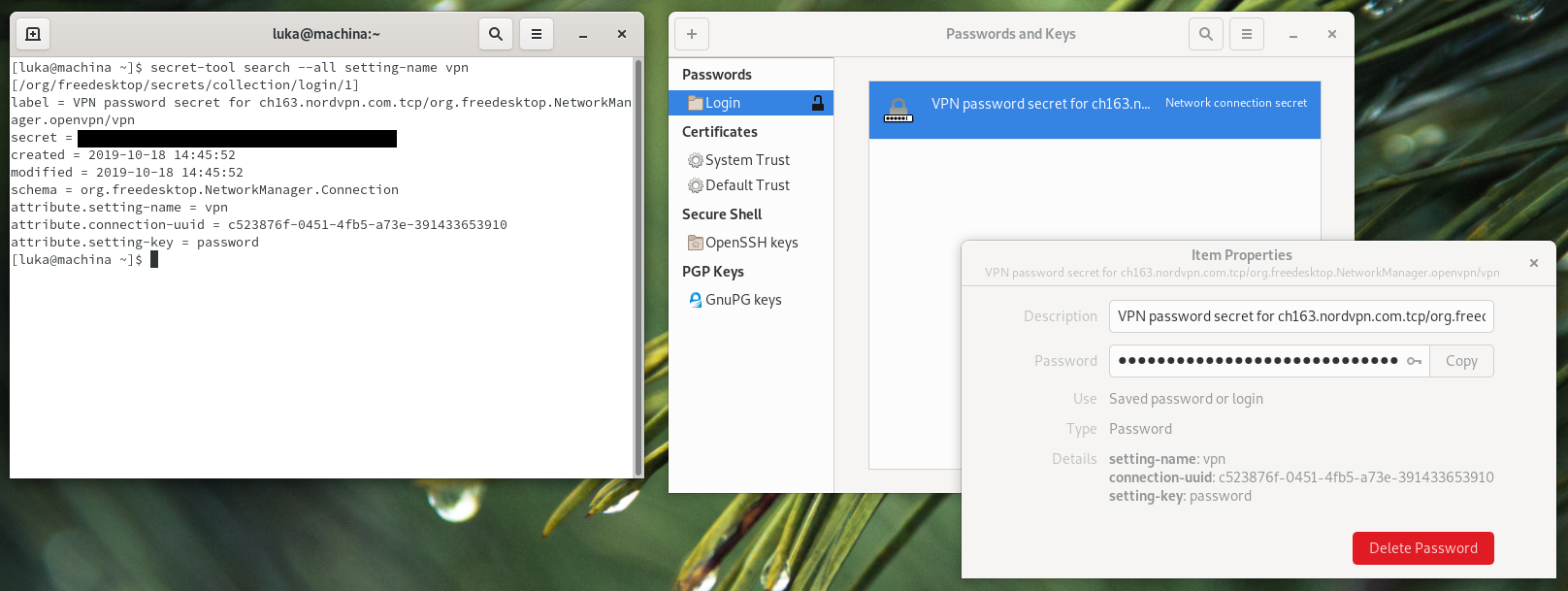 I have included seahorse in the screenshot, as it seems to have no problems accessing either gnome-keyring or KeepassXC.
The secret was created by gnome when it tried to store a vpn password into the keyring. It was successfully stored in both gnome-keyring and KeepassXC. The expected behaviour from KeepassXC would be to return the secret in the same way.
When using the secret-tool, running the same command, to search for a secret created in the same way, by the attribute "setting-name", KeepassXC returns nothing:

The secret stored in KeepassXC seems to have a few extra attributes, but as far as I understand, that shouldn't be a problem. The attributes in the database:

I have tried searching by other attributes, and the ones that seem to work are:
The ones that don't work (that I have tried) are:
If I create a secret with the attribute "setting-name" manually, secret-tool doesn't retrieve it from KeepassXC either. If I create one with the attribute settingname, it is retrieved.
From what I have tried, it seems that some characters in attribute keys can prevent them from being retrieved by secret-tool.
Note: I am using the gnome3 desktop environment.
I was trying to figure out why gnome keeps asking for the password and then storing new copies of it in the database in exactly the same way. When playing around with secret-tool, I noticed this bug. I suspect (hope) that my problems have something to do with it.
KeePassXC - Version 2.5.0 Revision: 1ab8a9f
Qt 5.13.1 Debugging mode is disabled.
Operating system: Arch Linux CPU architecture: x86_64 Kernel: linux 5.3.7-arch1-2-ARCH
Enabled extensions:
Cryptographic libraries: libgcrypt 1.8.5
Answer questions
Aetf
We can add a function in the entry searcher meant for code-side searching that accepts crazy inout
I was thinking about the same thing. I can work on this.
Related questions







