








koush/AndroidAsync 6810
Asynchronous socket, http(s) (client+server) and websocket library for android. Based on nio, not threads.
WebSockets (hybi13/RFC) and socket.io client for Android
Automated localized screenshots of your Android app on every device
Android superuser permissions app (from Zinx)
su binary for android Superuser
The Mono project ported to Android
Android Bionic Library (cyanogenmod)
issue closedkoush/vysor.io
I would like to upgrade my month license to a lifetime license, but I can't seem to find a way to do this. Any help would be great.
closed time in 2 days
JakePorter05
issue commentkoush/vysor.io
There's no upgrade. Simply cancel your monthly license, and when it expires, purchase the lifetime license.
comment created time in 2 days
issue commentkoush/vysor.io
Unable to access Devices via share server
Please generate another bug report with the error too.

comment created time in 3 days
issue commentkoush/vysor.io
Unable to access Devices via share server
These logs indicate some kind of firewall or vpn, is that the case?
comment created time in 3 days
issue commentkoush/vysor.io
Unable to access Devices via share server
3.2.20
comment created time in 3 days
issue commentkoush/vysor.io
This should be fixed, please verify.

comment created time in 3 days
issue commentkoush/vysor.io
Unable to access Devices via share server
This should be fixed, please verify.
comment created time in 3 days
issue commentkoush/vysor.io
Yeah you can just download and install the Vysor apk here manually.
https://github.com/koush/release
comment created time in 3 days
issue commentkoush/vysor.io
Unable to access Devices via share server
Can you try checking again on the latest version?
comment created time in 3 days
issue commentkoush/vysor.io
The share button is not responding
Can you try checking again on the latest version?

comment created time in 3 days
issue closedkoush/vysor.io
Hello, I do not know anything about Programming or anything about this, but I presented this error when installing the desktop application and I need some help since I did not find another place for technical support.
When I open the installer it downloads as usual but just in the middle of it, it stops and immediately the next error pops up.
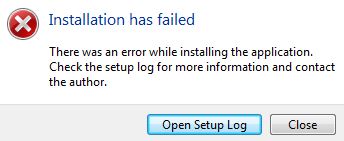
I add that when the error appears it gives you the option of Open Setup Log and when you click it opens the following File
I also tried the Vysor from the Google chrome browser but I get the following error and I don't know how to fix it...
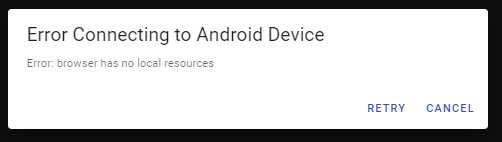
note: I speak Spanish. all this I put in the google translator, sorry if it is somewhat misinformed or etc.
closed time in 3 days
Neperson
issue commentkoush/vysor.io
Unsure, but that looks like an old version of windows. Use the issue template.
comment created time in 3 days
issue closedkoush/vysor.io
waiting for decoder /black screen
I have done every step regarding this problem that were shown on the website. Are there any other steps I should try to do for fixing the issue?
closed time in 3 days
ANicochi
issue commentkoush/vysor.io
waiting for decoder /black screen
use the issue template.
comment created time in 3 days
issue closedkoush/vysor.io
How to pull logs from remote device
I remotely shared my device, we are able to view/control device using chrome browser from remote PC. But we couldn't pull the logs and push the APK remotely. Please let us know if that is possible using Vysor tool.
closed time in 3 days
jagrati-turkar
issue closedkoush/vysor.io
How to pull logs from remote device
I remotely shared my device, we are able to view/control device using chrome browser from remote PC. But we couldn't pull the logs and push the APK remotely. Please let us know if that is possible using Vysor tool.
closed time in 3 days
jagrati-turkar
issue commentkoush/vysor.io
How to pull logs from remote device
You can use adb logcat. Vysor's desktop connections create an adb connection.
comment created time in 3 days
issue commentWICG/web-codecs
This was part of the reason I managed to run into this bug: I assumed the underlying pipeline would be zero copy (as that's something I strive towards for performance reasons). Ie, the ArrayBuffer I pass in belongs to the decoder until the call returns.
Similar to Android's MediaCodec's management of input/output buffers that are queued/dequeued.

comment created time in 3 days
issue commentkoush/vysor.io
Please support for Wireless Debugging on Android 11
I'll take a look.

comment created time in 3 days
issue commentkoush/vysor.io
Please ensure you are connected to the internet. It's failing to fetch the server, and then falling back to the packaged apk (which has a bug). I'll fix the latter bug shortly.
comment created time in 3 days
issue commentkoush/vysor.io
Try this prerelease pacman build.
https://github.com/koush/vysor.io/releases/tag/v3.2.19
I don't a arch VM set up yet to test it, just did a build and am crossing my fingers. I'll be able to do a proper test/build once I do full update for all the other platforms.

comment created time in 3 days
push eventkoush/release
commit sha 17ceabbe4ed69b96cb4c8f989c0e5fbdb1c2b61f
update
push time in 3 days
issue commentkoush/vysor.io
if you're savvy enough, take a look at electron-builder's supported packages and let me know if there's one I can use for Arch.
https://www.electron.build/
All platforms: 7z, zip, tar.xz, tar.lz, tar.gz, tar.bz2, dir (unpacked directory).
macOS: dmg, pkg, mas, mas-dev.
Linux: AppImage, snap, debian package (deb), rpm, freebsd, pacman, p5p, apk.
Windows: nsis (Installer), nsis-web (Web installer), portable (portable app without installation), AppX (Windows Store), Squirrel.Windows.
comment created time in 3 days
issue closedkoush/vysor.io
I just installed Vysor by building it from the AUR, and it isn't launching at all. This is the output I'm getting when I try to launch it from a terminal:
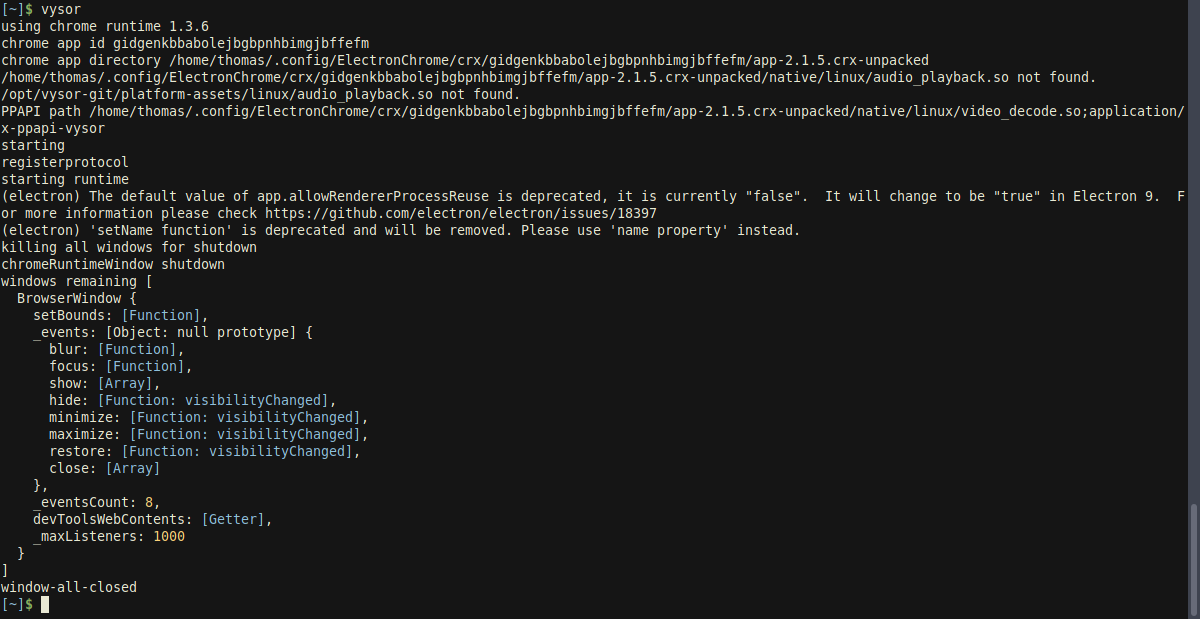
closed time in 3 days
guitaristtom
issue commentkoush/vysor.io
I do not provide the AUR, I did build a snap and appimage. This AUR actually seems to be hosting an extremely dated version of Vysor as well. (2.x, whereas Vysor is at 3.x right now)
comment created time in 3 days
issue commentWICG/web-codecs
Decoder implementations should always copy the encoded chunks before returning control to JS.
I am that footgun user. In my head, EncodedVideoChunk seemed like a simple dictionary object (which is why I modified post creation), but I guess more is happening under the hood there.
comment created time in 4 days
issue commentkoush/vysor.io
The share button is not responding
Thanks, I finally reproduced your underlying issue.
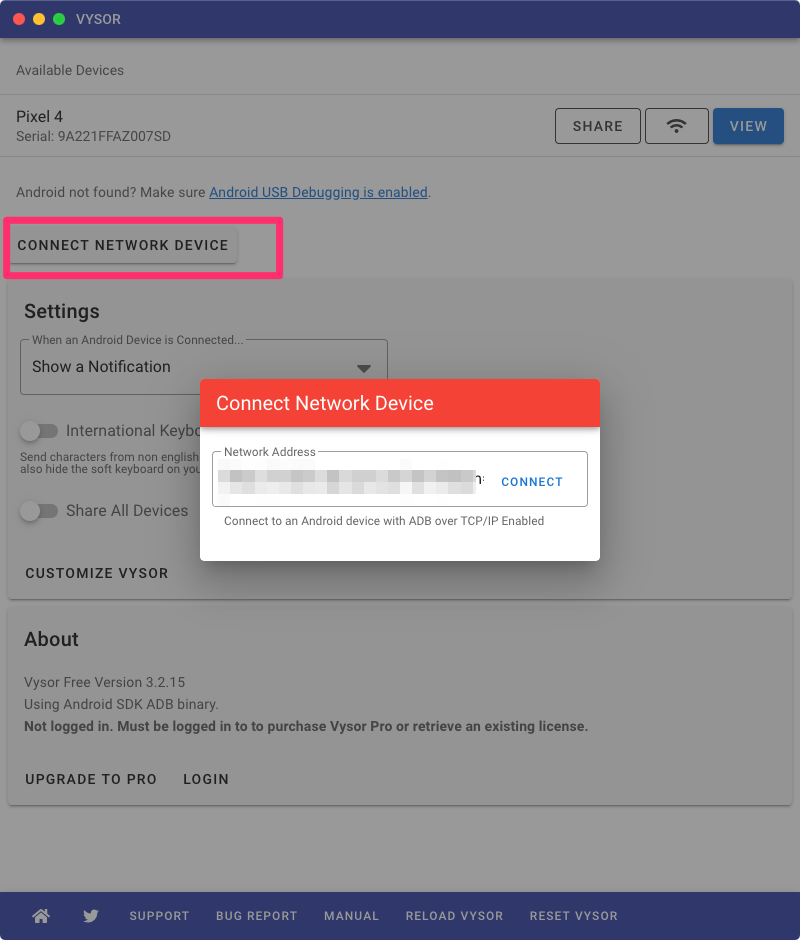
In the meantime, instead of pasting the link into the browser clicking "Open WIth Vysor" when prompted, click "Connect Network Device" and paste in the link.
comment created time in 9 days
issue commentkoush/vysor.io
The share button is not responding
Looks like it got saved in a buggy state, so resetting it and then allowing it to update may resolve it. Though it should also automatically clear bad settings now too.
comment created time in 10 days
issue commentkoush/vysor.io
The share button is not responding
Thanks, I found further issues in your logs that may be addressed by 3.2.14.
credentials [object Promise]
credentials/listening error Error: Missing gcm object in credentials
comment created time in 10 days
issue closedkoush/vysor.io
Getting "Error: apk path failed (empty)"
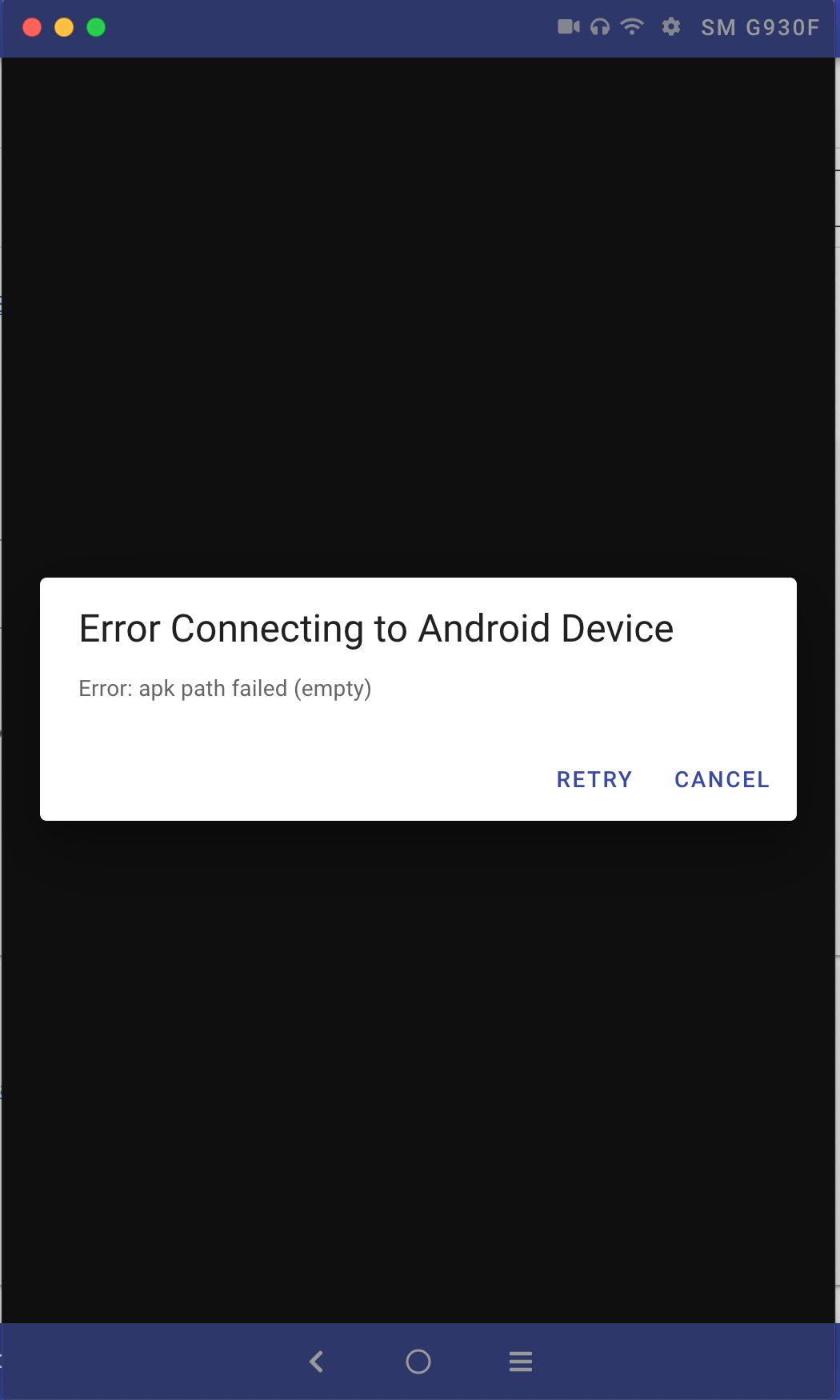
Describe the bug When clicking 'view' in Vysor for my Samsung Galaxy S7 I get the following message after it attempts to connect "Error Connecting to Android Device......Error: apk path failed (empty)"
I was able to connect for many days last week after first purchasing Vysor. Today Vysor was updated after it suggested to relaunch it, and now I can not connect to the phone anymore
Attach a Vysor Bug Report Log Bug report was created
To Reproduce Steps to reproduce the behaviour:
- Open Vysor
- Vysor suggests relaunching application for the latest version.
- Connect Samsung Galaxy S7 phone via USB
- Click 'View' button beside the SM G930F. It attempts to connect but produces an error
- Click 'Wifi' button beside the SM G930F. It attempts to connect but produces an error
Expected behaviour As it has done previously it should be able to connect to the phone and show its display in the separate window
Screenshots
Desktop (please complete the following information):
- OS: MacOS Mojave 10.14.3
- Vysor Version: 3.2.13
Android (please complete the following information):
- Device: Samsung Galaxy S7 / SM G930F
- OS: Android version 8.0.0 / Samsung Experience version 9.0
- Vysor Bug Report Link: https://gist.github.com/VysorLogs/8815b20ebff5cce6ceeb8325d658f5dd
Android Logcat I am not familiar
Additional context This worked fine last week for many days until Vysor was updated today
closed time in 10 days
rossodono
issue commentkoush/vysor.io
Getting "Error: apk path failed (empty)"
Your device is out of space.
web apk installation result: Error: android.os.ParcelableException: java.io.IOException: Requested internal only, but not enough space
comment created time in 10 days
issue commentkoush/vysor.io
Connection to Vysor Share Server failed. Timeout waiting for RTC Connection.
Please ensure the both the share server and the client are at the latest version of Vysor (3.2.13 as of a few minutes ago)

comment created time in 10 days
issue commentkoush/vysor.io
Connection to Vysor Share Server failed. Timeout waiting for RTC Connection.
please click reload to update to 3.2.13 as well.
comment created time in 10 days
issue commentkoush/vysor.io
Connection to Vysor Share Server failed. Timeout waiting for RTC Connection.
you did not generate a bug report. i need that.
comment created time in 10 days
issue commentkoush/vysor.io
The share button is not responding
Thanks for testing. I've added more logging and fixed some race conditions around the new push channel. Can you try again on 3.2.13?
comment created time in 10 days
push eventkoush/vysor.io
commit sha 135b2cc0cc5174403c8c50f847bbdaf12f71c171
Create index.html
push time in 10 days
issue commentkoush/vysor.io
The share button is not responding
Please verify the fix in 3.2.11.
comment created time in 11 days
issue commentkoush/vysor.io
Vysor Protocol Version Mismatch Error when attempting to connect
Click reset Vysor. It should trigger an update to version 3.3.x

comment created time in 11 days
issue commentkoush/vysor.io
The share button is not responding
Initial investigation shows that GAE is starting to fail after around 3000 concurrent connections. This is a result of a server migration to GAE from my own physical infrastructure.
I'll need to modernize the push transport to use Web Push where available, and also improve the existing socket.io service.
Might take a day or two.
comment created time in 11 days
issue commentkoush/vysor.io
The share button is not responding
Fixing.
comment created time in 11 days
push eventkoush/vysor.io
commit sha 34b1ae848f08f302b72666ea82753d4eb55599d9
fixup image
commit sha ac56075ed007c6381b5ddace4d98f292f0bc1127
images
commit sha 7dd7ebdbd8808f3e396028c086d9bcd560a7be7a
Merge branch 'master' of ssh://github.com/koush/vysor.io
push time in 11 days
issue commentkoush/vysor.io
Bad image quality in latest version (3.2.5)
Try setting the quality to low then high to see if it triggers an update.

comment created time in 12 days
issue commentkoush/vysor.io
Bad image quality in latest version (3.2.5)
I need a generated bug report. Again, use the template.
comment created time in 12 days
issue closedkoush/vysor.io
Bad image quality in latest version (3.2.5)
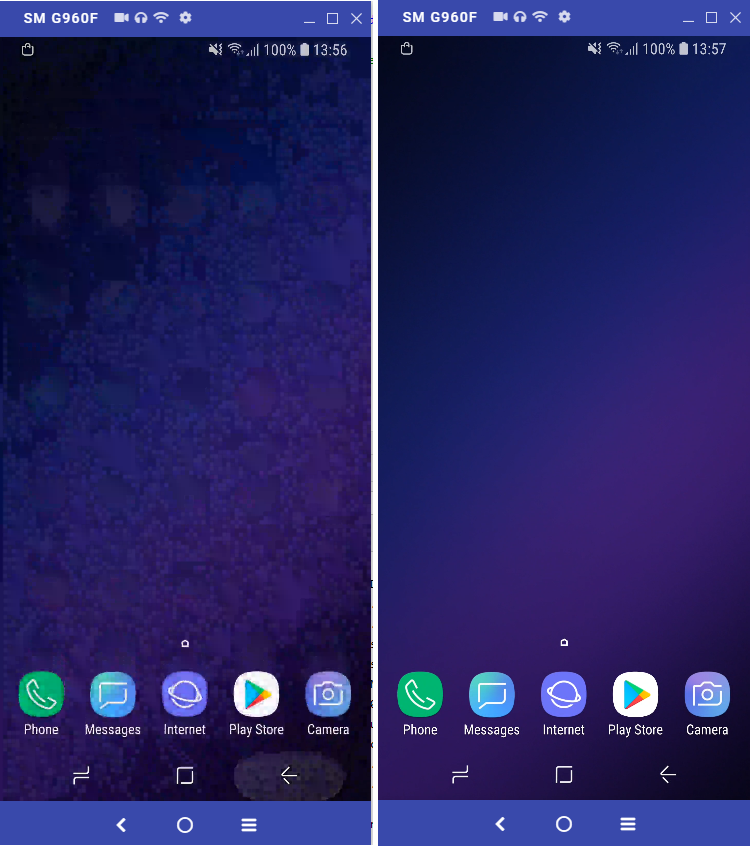
After last update of vysor (to 3.2.5) quality is very bad. Even on HIGH quality settings (logged in) image is very bad. It takes even 20 seconds until image is cleared out slowly. Previously image was "instantly" at high quality.
Looks like now image is highly compressed and over time it getting better quality.
Is there a way to run older version? This one is unusable ://
Attached is how screen looks like after change (left) and 20 seconds later (right)
closed time in 12 days
TomasVseticka24i
issue commentkoush/vysor.io
Bad image quality in latest version (3.2.5)
Use the bug report template. This does not have enough information.
comment created time in 12 days
issue commentkoush/vysor.io
Bad image quality in latest version (3.2.5)
Investigating.
comment created time in 12 days
issue closedkoush/vysor.io
Resolution change on version update
Describe the bug I was working on my Android device, counting on the resolution consistency. But to my surprise after a certain restart of the software, the resolution was completely mixed up (I was making sure the setting were identical) and I realised an update took place behind the scene.
First, why the update is forced and not by choice? second, why the update have anything to do with the resolution?
closed time in 12 days
okimchi
issue commentkoush/vysor.io
Resolution change on version update
There was a bug where the default resolution was incorrect and forced to 25%. This caused a lot of low resolution devices to fail altogether. The bug fix actually reverted it to the correct and original behavior.
comment created time in 12 days
issue commentkoush/vysor.io
[Feature Request] "Show taps" option
Oh, i see. Vysor's events aren't generating touches. Those touch indicators may be happening prior injection. This would need to be a whole new feature.

comment created time in 12 days
issue commentkoush/vysor.io
duplicate of https://github.com/koush/vysor.io/issues/507

comment created time in 13 days
issue commentkoush/vysor.io
are you on a laptop or some system that has multiple monitors? The window somehow ended up off screen and the position was saved there. I'll fix this. In the meantime, clicking "reset" and logging back in will resolve this issue.
comment created time in 13 days
issue closedkoush/vysor.io
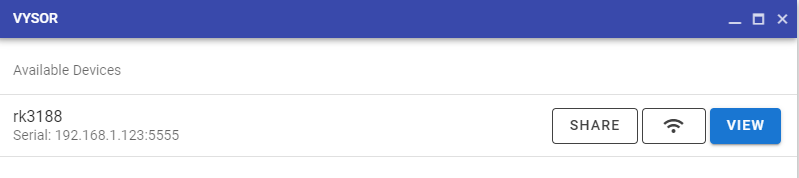
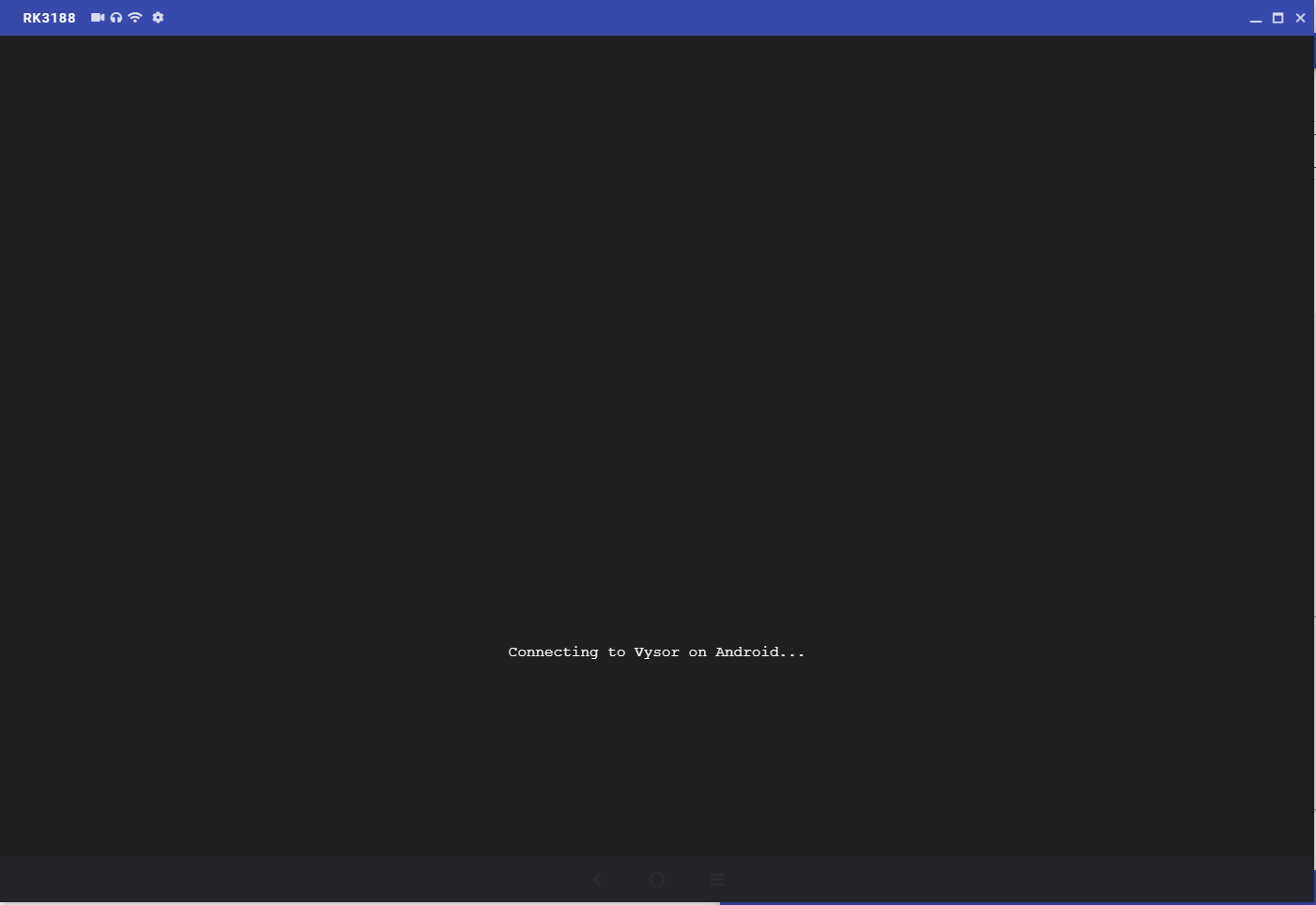
Unable to View Android Device over Network on 3.1.2. (Previously worked on an older Vysor version)
Describe the bug Unable to connect to Android device over Network. This previously worked fine on the previous Vysor build.
Attach a Vysor Bug Report Log https://gist.github.com/165f170a4be7e0d6d15a97a406103aa4 165f170a4be7e0d6d15a97a406103aa4-7e1235c581345085e46763bd9e69872ecac3d9c6.zip
Expected behavior Previously able to connect to Android device and view what is displayed.
Screenshots
Desktop (please complete the following information):
- OS: Windows
- Vysor Version 3.1.2
closed time in 13 days
KL92
issue commentkoush/vysor.io
Unable to View Android Device over Network on 3.1.2. (Previously worked on an older Vysor version)
The WebSocket VerifyError has been fixed and this should be resolved.
comment created time in 13 days
issue closedkoush/vysor.io
[Feature Request] "Show taps" option
When making screen recordings, I usually turn on the Show taps setting in Developer Options so that the viewer can see where I'm clicking.
When interacting with my device through Vysor though, clicks from my computer don't show the tap indicator.
The indicator does show (and gets captured in Vysor's screen recording) when I interact with my phone's actual touchscreen though.
Is it possible to either
- somehow treat Vysor click events as taps so Android's built-in option captures them, or
- build a setting similar to
Show tapsinto Vysor itself?
closed time in 13 days
ankushg
issue commentkoush/vysor.io
[Feature Request] "Show taps" option
There is an adb shell command to do this: https://stackoverflow.com/questions/49056918/how-to-enable-show-touches-developer-option-from-adb-shell
Then use the "shell" custom action to trigger it.
https://stackoverflow.com/questions/49056918/how-to-enable-show-touches-developer-option-from-adb-shell
comment created time in 13 days
issue commentkoush/vysor.io
I'm a bit concerned that ongoing notifications (like downloads or playback) will spam the Desktop.

comment created time in 13 days
issue closedkoush/vysor.io
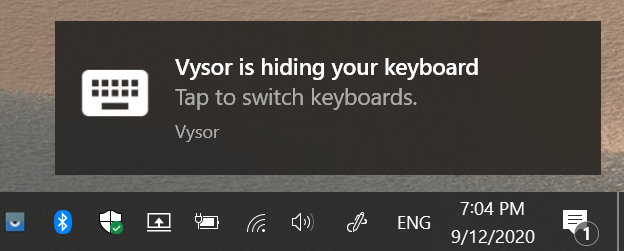
Describe the bug When the "international keyboard" option is turned on in the Vysor main window, every time an app is opened on the phone a notification is sent to the PC per the attached image. This is because there is an ongoing notification on the phone for the keyboard. If you can have Vysor ignore this specific notification that would make things a lot less disturbing. A workaround would be to disable this notification on the phone, but it's not an ideal solution.
No bug report to attach this is a not a bug, as Vysor seems to be configured to send ALL notification from the phone to the PC (including ongoing persistent notifications which are needed to alert of incoming calls)
To Reproduce Steps to reproduce the behavior:
- enable the international keyboard option in the main app.
- Connect to a device and start opening apps that require keyboard input.
Screenshots
If applicable, add screenshots to help explain your problem.
closed time in 13 days
clubtech
issue commentkoush/vysor.io
I've fixed this by preventing Vysor from spamming those keyboard notifications.
comment created time in 13 days
issue commentkoush/vysor.io
Copy paste Japanese/Chinese characters cause error.
Can you confirm this bug still happens? I fixed another related bug involving text encoding. https://github.com/koush/vysor.io/issues/623

comment created time in 13 days
issue closedkoush/vysor.io
[NOTIFICATIONS] Vysor does not display none English notifications correctly
Describe the bug When a none English notification comes in (Hebrew in case), Vysor does not display the letter correctly (See image)
Bug report: https://gist.github.com/9db3b56ba37b76774599ebc3ef63bbd1
To Reproduce Steps to reproduce the behavior:
- Receive a notification that does not contact English letter.
- It does not display properly.
Screenshots If applicable, add screenshots to help explain your problem.
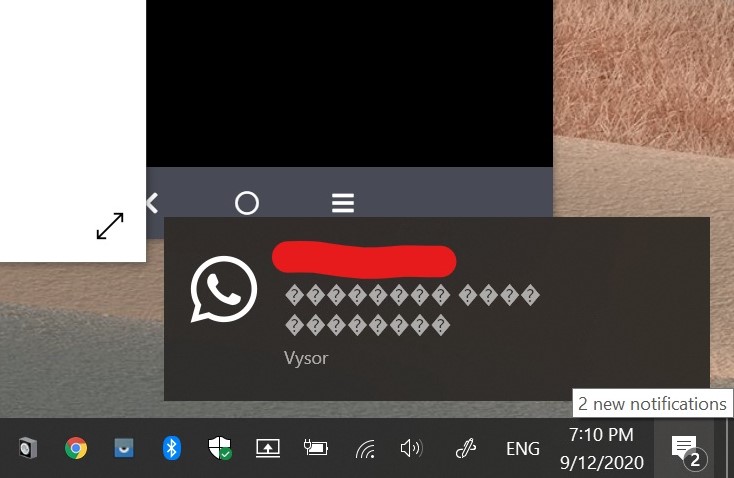
Desktop (please complete the following information):
- OS: Windows 10
- Vysor Version 3.2.0
Android (please complete the following information):
- Device: Samsung Note 20 Ultra
- OS: Android 10
closed time in 13 days
clubtech
issue commentkoush/vysor.io
[NOTIFICATIONS] Vysor does not display none English notifications correctly
Good bug report. I fixed this in 3.2.3.
comment created time in 13 days
issue commentkoush/vysor.io
Currently notifications are short lived, and not synced (ie, dismissed from phone to android, etc).
comment created time in 13 days
issue commentkoush/vysor.io
[NOTIFICATIONS] Vysor does not send a notification for incoming calls.
As you noted, regular calls do not seem to use the notification API and use a system alert or something. Need to look into this in a future feature.
comment created time in 13 days
issue closedkoush/vysor.io
Describe the bug When the "international keyboard" option is turned on in the Vysor main window, every time an app is opened on the phone a notification is sent to the PC per the attached image. This is because there is an ongoing notification on the phone for the keyboard. If you can have Vysor ignore this specific notification that would make things a lot less disturbing. A workaround would be to disable this notification on the phone, but it's not an ideal solution.
No bug report to attach this is a not a bug, as Vysor seems to be configured to send ALL notification from the phone to the PC (including ongoing persistent notifications which are needed to alert of incoming calls)
To Reproduce Steps to reproduce the behavior:
- enable the international keyboard option in the main app.
- Connect to a device and start opening apps that require keyboard input.
Screenshots
If applicable, add screenshots to help explain your problem.
closed time in 13 days
clubtech
issue commentkoush/vysor.io
Fixed in 3.2.2 by removing ongoing notifications. I'll need to revisit ongoing notifications in the future, as the desktop UX is meant for temporary ones, depending on host OS (mac/linux).
comment created time in 13 days
issue commentkoush/vysor.io
I'll filter out ongoing notifications, thanks for the report.
comment created time in 13 days
issue commentkoush/vysor.io
bring vysor window to top on notifications and/or phone calls
It's implemented. Please open new issues as you find bugs.

comment created time in 14 days
push eventkoush/vysor.io
commit sha a13cf423e3660907df709746e2e61d976f3879ca
Update README.md
push time in 14 days
issue closedkoush/vysor.io
i can't cancel subscription i click on that red button but nothing happens
Describe the bug A clear and concise description of what the bug is.
Attach a Vysor Bug Report Log
- First, trigger the bug.
- Leave the window with the bug open. Do not close it, or the bug data will be lost.
- To generate a bug report, open the main device window if it is not open already. Click the Bug Report button along the bottom. Please note that this will contain your email address. This is necessary for diagnosing licensing/purchase issues.
- ISSUES WITHOUT BUG REPORTS MAY BE IMMEDIATELY CLOSED. The bug report contains internal logging from the app.
To Reproduce Steps to reproduce the behavior:
- Go to '...'
- Click on '....'
- Scroll down to '....'
- See error
Expected behavior A clear and concise description of what you expected to happen.
Screenshots If applicable, add screenshots to help explain your problem.
Desktop (please complete the following information):
- OS: [e.g. MacOS]
- Vysor Version [e.g. 2.2.2]
Android (please complete the following information):
- Device: [e.g. Pixel 4]
- OS: [e.g. Android 10]
- Vysor Bug Report Link: [instructions follow, you must attach a bug report that contains the application errors and logging]
Android Logcat If you are familiar with adb logcat, please include the log output of any crashes to this issue.
Additional context Add any other context about the problem here.
closed time in 14 days
abdlhay
issue closedkoush/vysor.io
bring vysor window to top on notifications and/or phone calls
Could you please develop a small great fonction as , the "Vysor" app up to all others windows as soon as a phone call is received on the phone ? I m a french user , sorry for my poor english, but i think it could be a good idea to have an option "always on top" BUT only for incoming phone call.
Thank you.
Alain
closed time in 14 days
Alaingent
issue commentkoush/vysor.io
bring vysor window to top on notifications and/or phone calls
https://twitter.com/vysorapp/status/1304952083578150912
comment created time in 14 days
issue commentkoush/vysor.io
i can't cancel subscription i click on that red button but nothing happens
It looks like your card is inactive anyways, and the subscription is set to cancel regardless.
comment created time in 14 days
issue commentkoush/vysor.io
i can't cancel subscription i click on that red button but nothing happens
What happens when you click it? Can you get me the javascript console log? And another screenshot after clicking it?
comment created time in 14 days
issue commentkoush/vysor.io
i can't cancel subscription i click on that red button but nothing happens
Can you provide a screenshot of the red button?
comment created time in 14 days
push eventkoush/download.clockworkmod.com
commit sha b7f28e6a2cd803e84254d573dff916a1b2688d86
Update _redirects
push time in 14 days
release koush/CarbonResources
released time in 14 days
push eventkoush/download.clockworkmod.com
commit sha 1c689aa46ab6fc9b272fcb1694ef6e018258ff62
Update _redirects
push time in 16 days
push eventkoush/download.clockworkmod.com
commit sha b04e73f6f48efd7a974c59d2c03245bd4883f0dc
Update _redirects
push time in 16 days
push eventkoush/download.clockworkmod.com
commit sha 0434b0b96e96d82fee1100ebb91b6d8e6823e467
Update _redirects
push time in 16 days
push eventkoush/download.clockworkmod.com
commit sha 04bf24834bec5251547ca471f28af71d9b0235b2
Update _redirects
push time in 16 days
release koush/TetherResources
released time in 16 days
push eventkoush/clockworkmod.com
commit sha 6796b812ed4c7a903707633d2988dfbf45fb4e46
Update CNAME
push time in 16 days
issue commentkoush/vysor.io
International keyboard does not always activate
I'll try leaving the international running for a while and see if it repros after some time.

comment created time in 16 days
issue closedkoush/vysor.io
So I'm trying to mirror my phone in nba 2k20 then I realize the audio still not working when you using recording on phone. So I decided to use OBS then realize I can't transfer the audio in obs so is just the same.
The screen doesn't fit to on the obs maybe on my screen monitor I'm using 1920x1080 on pc
closed time in 16 days
roeljohn
push eventkoush/support.vysor.io
commit sha 57b19948c7555b9e3b96c1803e4c66b4e2ec288c
Update CNAME
push time in 17 days